FREE TEMPLATES
Best Class Notes Template
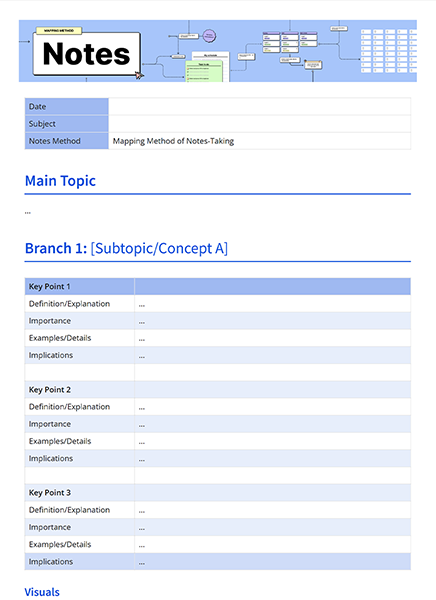
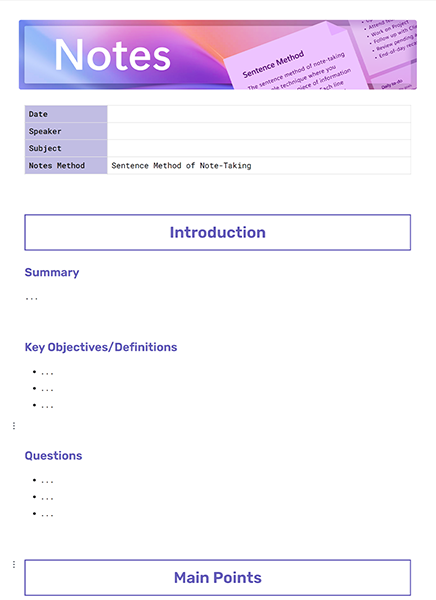
Use this free, customizable Class Notes Template to organize your work, save time, and collaborate better—all in one place. Whether you are a student wanting to remember lectures, a teacher preparing structured lesson notes, or a professional attending workshops, this template will help you record, organize and review important information efficiently.


What is a Class Notes Template?
A Class Notes Template is a structured framework for recording and organizing lecture or training content. You don't simply write a bunch of random notes; you follow a clear format that includes the course, key concepts, lecture points, discussions, and next steps. This enhances understanding and allows easy reference for pre-exam or pre-presentation quick studying.
Benefits of Using a Class Notes Template
- Improved organization: Keep all notes consistent, clear, and easy to find later.
- Better focus: A template keeps you engaged during class by guiding what to capture.
- Stronger recall: Structured notes enhance understanding and long-term memory.
- Exam-ready material: With concepts, definitions, and discussions neatly documented, revision becomes a stress-free process.

What should be included in the Class Notes Template?
The template should allow for lecture content and additional learning elements. This will ensure that the instructor’s words, along with your thoughts and follow-up tasks, are captured.
Key Elements of the Class Notes Template
- Course Information – Class name, instructor, date, and topic.
- Key Concepts – Main ideas and explanations to capture the essence of the lecture.
- Class Notes - Information, examples, or insights shared by the instructor.
- Key Terms - Definitions of new vocabulary or terms specific to the topic.
- Visual Aids - Diagrams, charts, or figures that the instructor used.
- Questions & Dialogue - Summary of questions posed or answered in class.
- Assignments & Readings - Assignments due, project, or assigned readings.
- Reflections - Your thoughts or insights/ connections to other subjects.
- Additional Resources - Books, websites, articles, recommendations.
How to use this Class Notes Template
This template works across subjects and learning environments. It provides a repeatable structure that helps you capture both factual details and personal insights.
Steps to Use the Class Notes Template
Step 1: Completing the course information - Start by inputting the lecture date, instructor's name, and course title.
Step 2: Write down important ideas - Provide a brief explanation of each of the key points covered in class.
Step 3: Take thorough notes during the lecture. - Jot down important discussions, examples, and explanations; emphasize the points the instructor has emphasized.
Step 4: Note significant words - Write out words and definitions to reinforce subject vocabulary.
Step 5: Include visual representations - Draw diagrams or insert digital images that were present in the lecture.
Step 6: Track your class discussions - Note key questions discussed in class and conclusions.
Step 7: Track homework and reading - Write down any homework, projects, or chapters to be read in preparation.
Step 8: Add personal reflections - Conclude with your own takeaways, questions, or insights for future revision.
What’s Inside This Class Notes Template
This template is pre-structured to guide you while keeping things flexible for different learning needs.
This Customizable Class Notes Template Layout Includes
- Quick reference for the Course Information section
- Key Concepts section to sum up the most important parts of the lecture
- Lecture Notes section for more detailed explanations
- Important Terms section for easy memorization
- A place for diagrams and figures in the Visual Aids section
- Questions and Discussions section for any conversations that were recorded that day
- Assignments & Readings list to support classwork
- Personal Reflections note about your self-learning
- Additional Resources list for supportive readings
Why You Need a Class Notes Template
When students do not develop a systematic approach to organizing their class notes, their class notes are often cluttered and not comprehensive. A template makes it simple to structure a condensed version of the class notes, while also supporting clarity, revisability, and the goals of your course. Having class notes in a template can help alleviate stress in advance of exams and maintain focus while in lecture.
How to Fill Out a Class Notes Template
Fill out each section while you listen to the lecture or right after it. Make your notes short but full of information. Use bullet points to make things clear, underline important words, and leave room for diagrams or more thoughts. It is important to be consistent; using the same structure in all classes makes it easier to review and understand.
Who Can Use this Class Notes Template?
This template can be helpful for:
- Students who want structured notes that are ready for studying and exams,
- Teachers who wish to write out lecture guides or distribute summaries of the class,
- Professionals attending training sessions and workshops,
- Tutors and mentors who want to create structured learning and study materials.
FAQs
Q1. Is this template applicable to online courses?
Yes, it will work for both the in-person and virtual style of lectures.
Q2. How much detail should my lecture notes include?
In general, they should summarize the main points from the lecture instead of capturing every word verbatim.
Q3. Can I add digital media to this template?
Absolutely—charts, images, or links can be embedded for richer notes.
Q4. Is this template only for students?
No, professionals and educators can also use it to capture key ideas from training or meetings.