AI-POWERED DOCS & WIKIS

AI Usability Test Permission to Record

Use Bit's AI prompt form to quickly create, organize, collaborate on, and customize in seconds.
Bit's platform will help you organize and create documents, wikis and content faster than ever. Create and share and teach with smart AI-powered docs and wikis.

Get Started for Free
Categories
Search Ai Prompts
Tools
Tools
Academic
Academic
Customer Service
Customer Service
Design
Design
Email
Freelance
Freelancer
Human Resources
HR
IT
IT/Engineering
Influencer
Influencer
Management
Management
Marketing
Marketing
Non-Profit
Non-Profit
Personal
Personal
Product
Product
Press Release
PR
Publishing
Publishing
Research
Research
Sales
Sales
Social Media
Social Media
Startup
Startup

    AI Usability Test Permission to Record

    Get Clear, Friendly Consent for Smooth Testing Sessions

    Running usability tests means capturing honest user interactions—but recording those sessions requires clear permission. Without it, you risk privacy issues, legal trouble, and uncomfortable test environments.

    Bit.ai’s Usability Test Permission to Record template helps you get explicit, professional consent from participants—so your sessions run smoothly and everyone feels confident.

    Let’s dive into what this permission form is, why it matters, and how Bit.ai makes creating it effortless.

    What is a Usability Test Permission to Record?

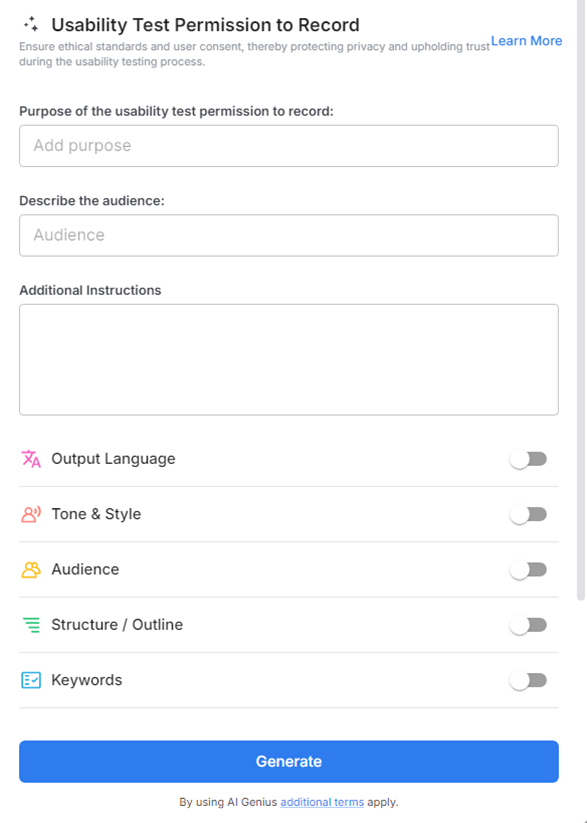
    A Usability Test Permission to Record form is a clear agreement from participants allowing you to capture audio, video, screen activity, or other data during testing. Bit.ai’s template organizes this consent simply and transparently, ensuring participants understand what’s recorded, how it’s used, and their rights.
    Create Smart Documents

    Why Use a Permission to Record Form?

    • Legal Protection: Safeguard your project and company with documented consent.
    • Transparency: Build trust by explaining exactly what will be recorded and why.
    • User Comfort: Help participants feel safe, knowing their privacy is respected.
    • Ethical Standards: Comply with best practices and data protection laws like GDPR or CCPA.
    • Clear Communication: Avoid misunderstandings or surprises during or after testing.

    Why Use Bit.ai to Generate Permission Forms?

    Bit.ai makes drafting clear, comprehensive permission forms quick and easy—no legal jargon, just plain language your users understand.

    • Pre-Built Template: Get a ready-made consent form that covers audio, video, and screen recordings.
    • Customizable Clauses: Tailor permissions to your testing methods and data usage policies.
    • Simple Language: Explain technical concepts in user-friendly terms to build confidence
    • Collaborative Editing: Work with legal, UX, and research teams to finalize wording.
    • Brand Consistency: Add logos, headers, and style to align with your company’s identity.
    • Easy Sharing: Distribute digitally or print for in-person sessions.
    • Centralized Storage: Keep all signed forms organized and accessible within Bit.ai.

    How to Use Usability Test Permission to Record

    1. Open a new document

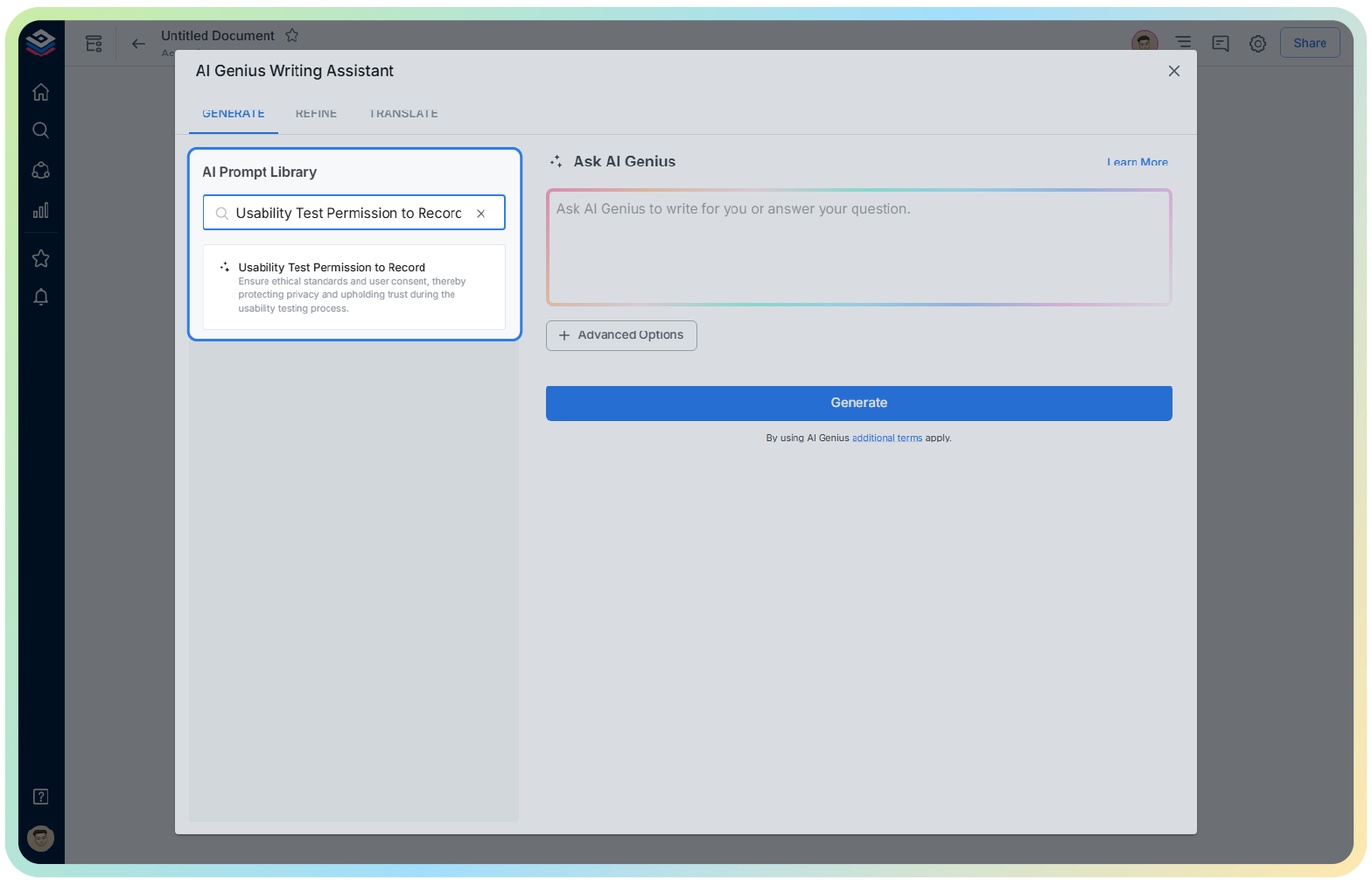
    2. Type @ on a blank line to open up the AI Writing Assistant.

    3. Search for Usability Test Permission to Record template in the template search field.

    4. Customize participant, recording type, and data usage fields as needed.

    5. Insert your company’s branding and contact info.

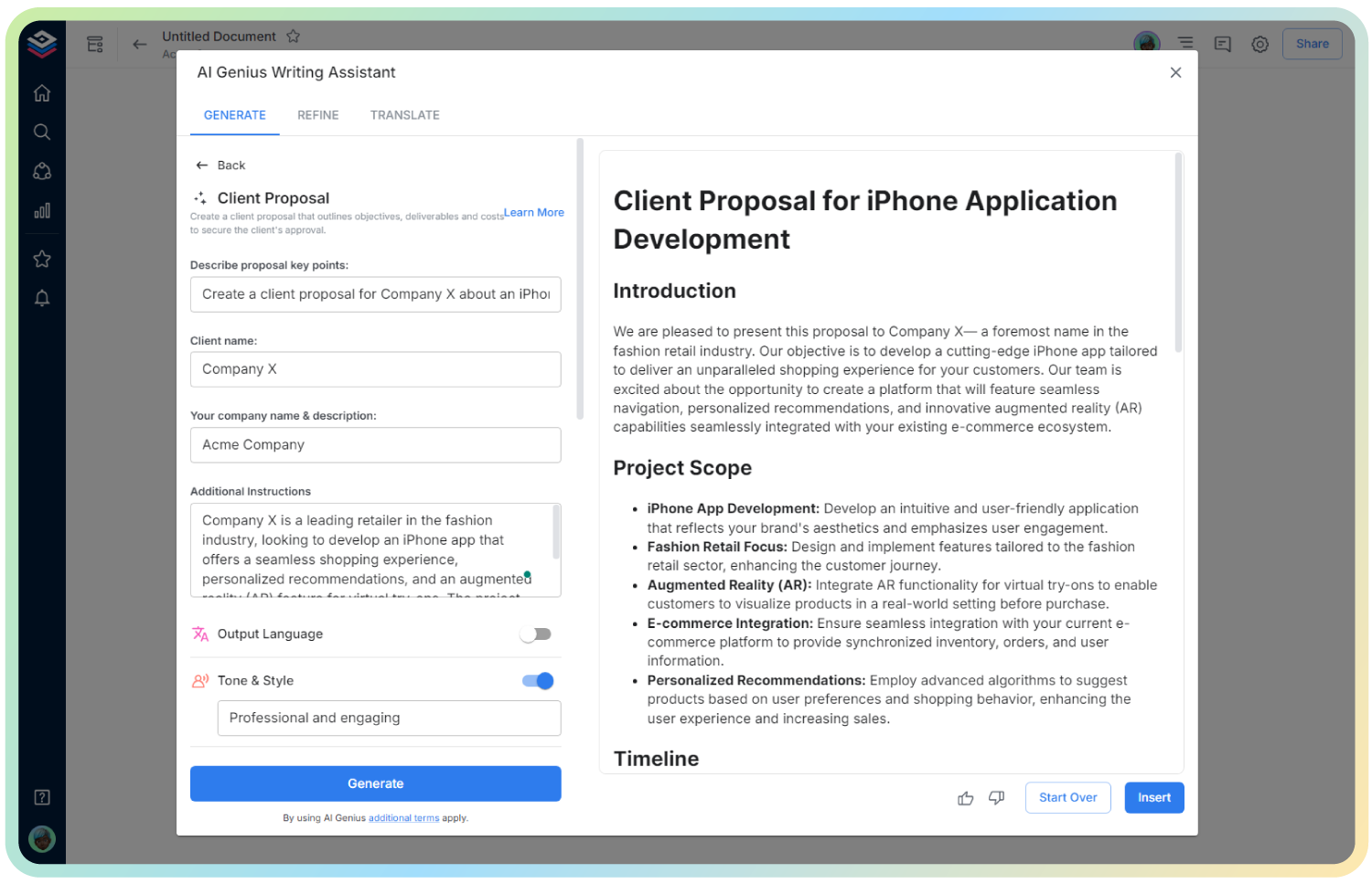
    6. Click ‘Insert,’ and your customized microcopy will appear in your Bit document, ready to test and ship.
    Use Cases

    • Remote Usability Testing: Obtain consent before recording participants’ screens and voices online.
    • In-Person Testing Labs: Ensure testers agree to video and audio recording during live sessions.
    • Prototype Feedback Sessions: Record interactions and verbal feedback while respecting privacy.
    • Accessibility Testing: Capture sessions with assistive tech usage for analysis.
    • Beta Testing Programs: Get consent from users trying new products under NDA or special agreements.

    Wrapping Up

    With Bit.ai’s Usability Test Permission to Record template, securing user consent is simple, clear, and professional. Protect your team and your participants by making privacy and transparency top priorities.

    Prepare your usability sessions confidently, knowing every recording is backed by informed, explicit permission.

    Permission to Record FAQs

    1. Can I customize the form for different testing types?

    Yes, Bit.ai’s template is flexible to suit audio-only, video, screen capture, or multi-modal recording.

    2. Is this form compliant with data privacy laws?

    It’s designed to help meet key legal requirements, but always consult your legal team for specifics.

    3. Can participants revoke permission later?

    Include a clause explaining their rights to withdraw consent if needed—Bit.ai makes this easy to add.

    How to Use Usability Test Permission to Record

    Get Inspired with Bit.ai's AI Templates

    See what types of smart documents you can create and collaborate on!

    Create free a account today!

    Start playing with your Bit.ai platform today and add up to 5 members and 50 documents on the free plan!
    No time constraints & no credit card required.
    * Upgrade anytime for as low as $8 per month / per user to get 20,000 Bonus AI words per month!
    AI Genius is not available on the free plan.