AI Sponsorship Package Generator
Win Sponsors with Polished, Tailored Presentations
In the competitive world of brand partnerships, a well-structured sponsorship package can help you communicate your value, attract potential sponsors, and build lasting relationships. Clear deliverables, relevant benefits, and professional presentation make it easier for sponsors to understand what you offer.
Bit.ai’s AI Sponsorship Package Generator helps you organize sponsorship opportunities into polished, persuasive proposals without starting from scratch. Whether you're planning an event, growing a creator brand, or raising funds for a nonprofit, you can create a package tailored to your audience and sponsorship goals.
Let’s explore how a sponsorship package generator works, why it matters, and how Bit.ai can simplify the process.
What Is a Sponsorship Package Generator?
A Sponsorship Package Generator is an AI-powered tool that helps you create structured proposals outlining partnership opportunities, sponsorship levels, benefits, and pricing. It helps organize your offering into a clear format that potential sponsors can review and evaluate.
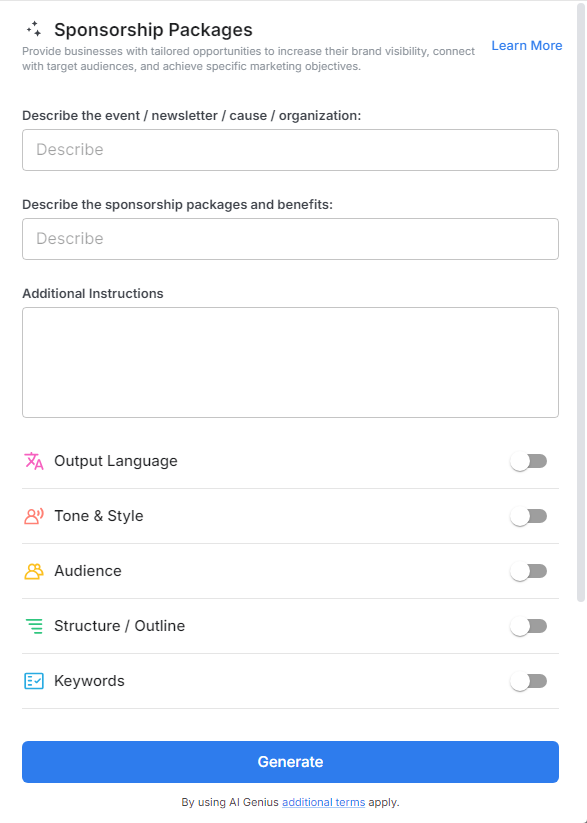
Bit.ai’s Sponsorship Package Generator helps you draft customized packages based on your event, organization, audience, and sponsorship objectives. You can refine the content, add supporting visuals and audience data, and present your proposal in a professional document.
Key Elements of a Sponsorship Package
- Introduction and Overview: Introduce your organization, event, campaign, or brand and explain its purpose.
- Audience Profile: Describe your audience, including relevant demographics, interests, reach, and engagement metrics.
- Sponsorship Opportunities: Explain the available partnership options and how sponsors can participate.
- Sponsorship Tiers: Outline packages such as Bronze, Silver, and Gold, or create custom levels with distinct benefits.
- Benefits and Deliverables: Specify what sponsors receive, such as logo placement, promotional mentions, booth space, or branded content.
- Pricing and Investment: Clearly state the cost of each tier and any additional sponsorship opportunities.
- Marketing and Visibility Plan: Explain how sponsors will be promoted before, during, and after the event or campaign.
- Performance Measurement: Identify relevant metrics, such as impressions, attendance, engagement, or leads, that can help evaluate sponsorship outcomes.
- Contact and Next Steps: Provide contact details and explain how interested sponsors can discuss or confirm a partnership.
Why Use a Sponsorship Package?
- Save Time: Create a structured starting point for proposals instead of drafting every package from scratch.
- Present a Professional Image: Use a clear, organized document to communicate your sponsorship opportunities confidently.
- Customize Every Pitch: Align your proposal with each sponsor’s objectives, audience, and brand values.
- Clarify the Value Exchange: Show exactly what sponsors receive in return for their investment.
- Compare Sponsorship Levels: Present different packages and benefits so potential partners can evaluate their options.
- Build Stronger Partnerships: Set clear expectations around deliverables, promotional activities, and responsibilities.
Why Use Bit.ai to Generate Sponsorship Packages?
Bit.ai helps you draft, organize, and refine sponsorship proposals in a collaborative document workspace.
- Quick Proposal Drafting: Turn your sponsorship goals and key details into a structured first draft.
- Flexible Sponsorship Tiers: Outline different package levels, pricing, and benefits according to your needs.
- Sponsor-Specific Messaging: Tailor proposals to reflect a potential partner’s priorities and target audience.
- Rich Media Support: Incorporate logos, images, videos, audience statistics, and other supported embedded content.
- Real-Time Collaboration: Work with marketing, event, or fundraising teams to review and improve proposals.
- Consistent Presentation: Organize your content with clear headings and cohesive formatting.
- Easy Sharing: Share proposals through document links or use available export options to prepare them for distribution.
How to Use Bit.ai’s Sponsorship Package Generator
1. Sign in to Bit.ai and create a document in your workspace.

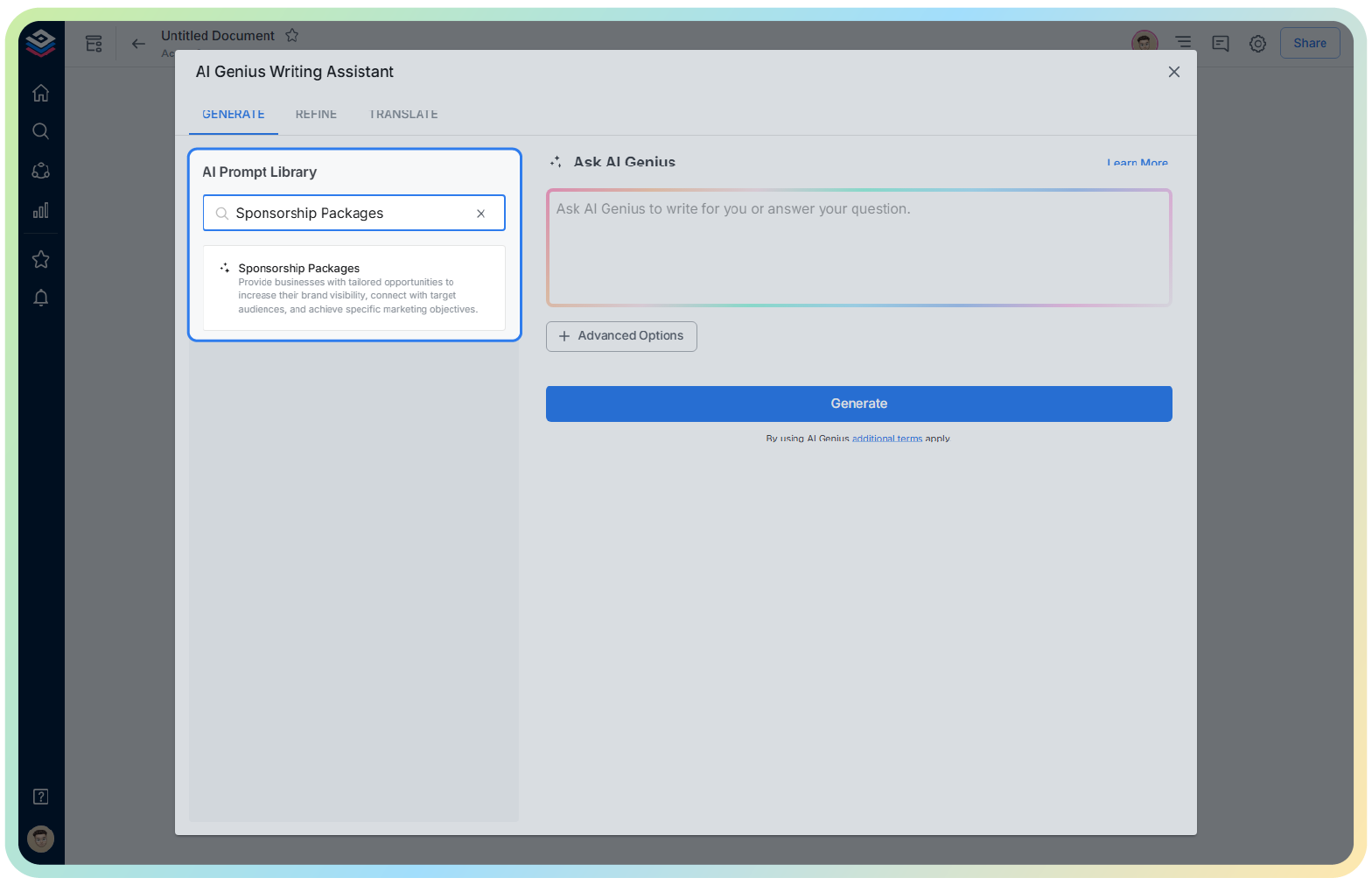
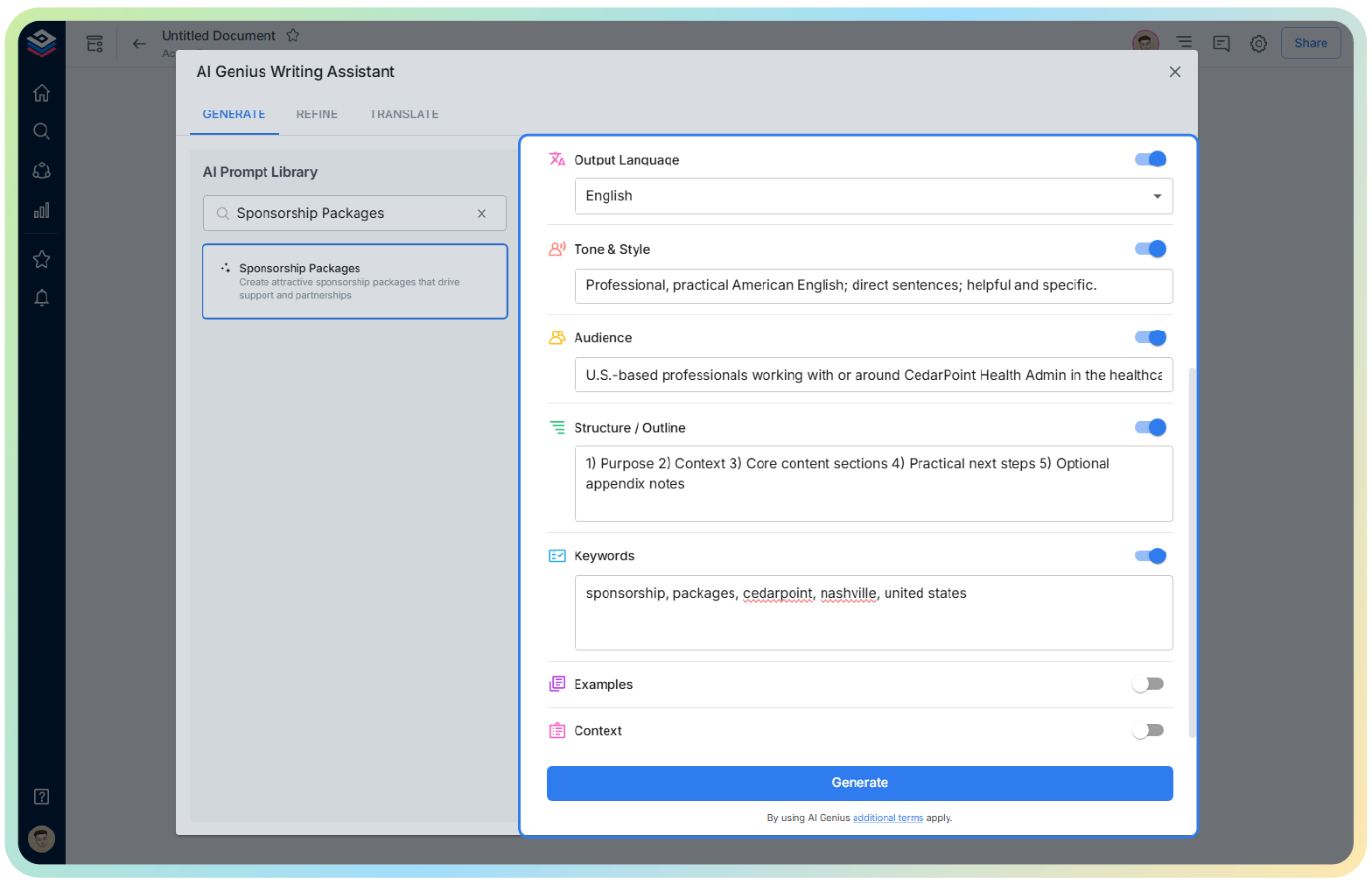
2. Type @ on a blank line to open the AI Writing Assistant.

3. Search for "Sponsorship Package" in the template search field.
4. Provide information about your organization, event or campaign, target audience, sponsorship goals, and available opportunities.
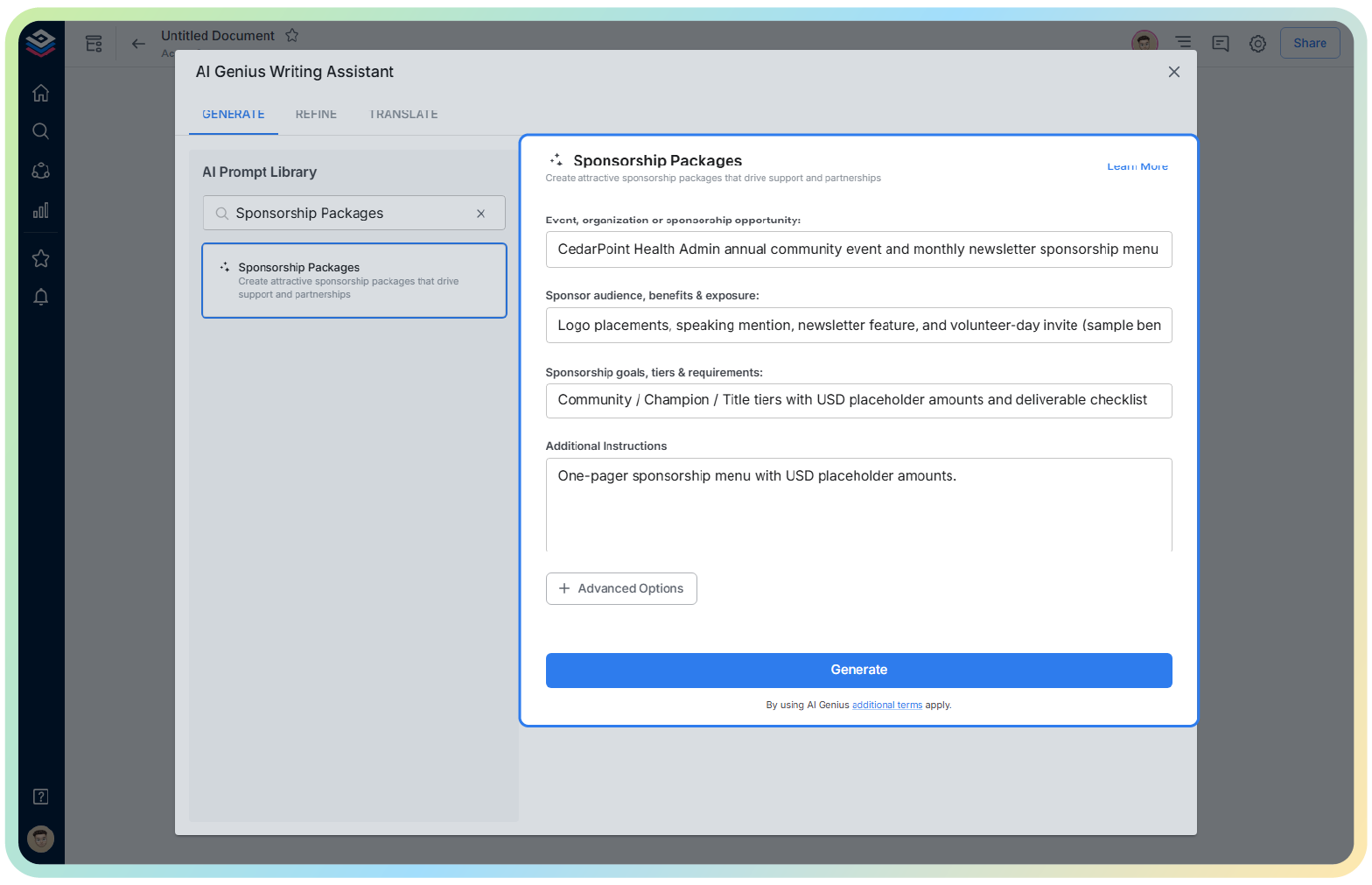
5. Use "Advanced Options" to adjust the tone, structure, and content preferences.
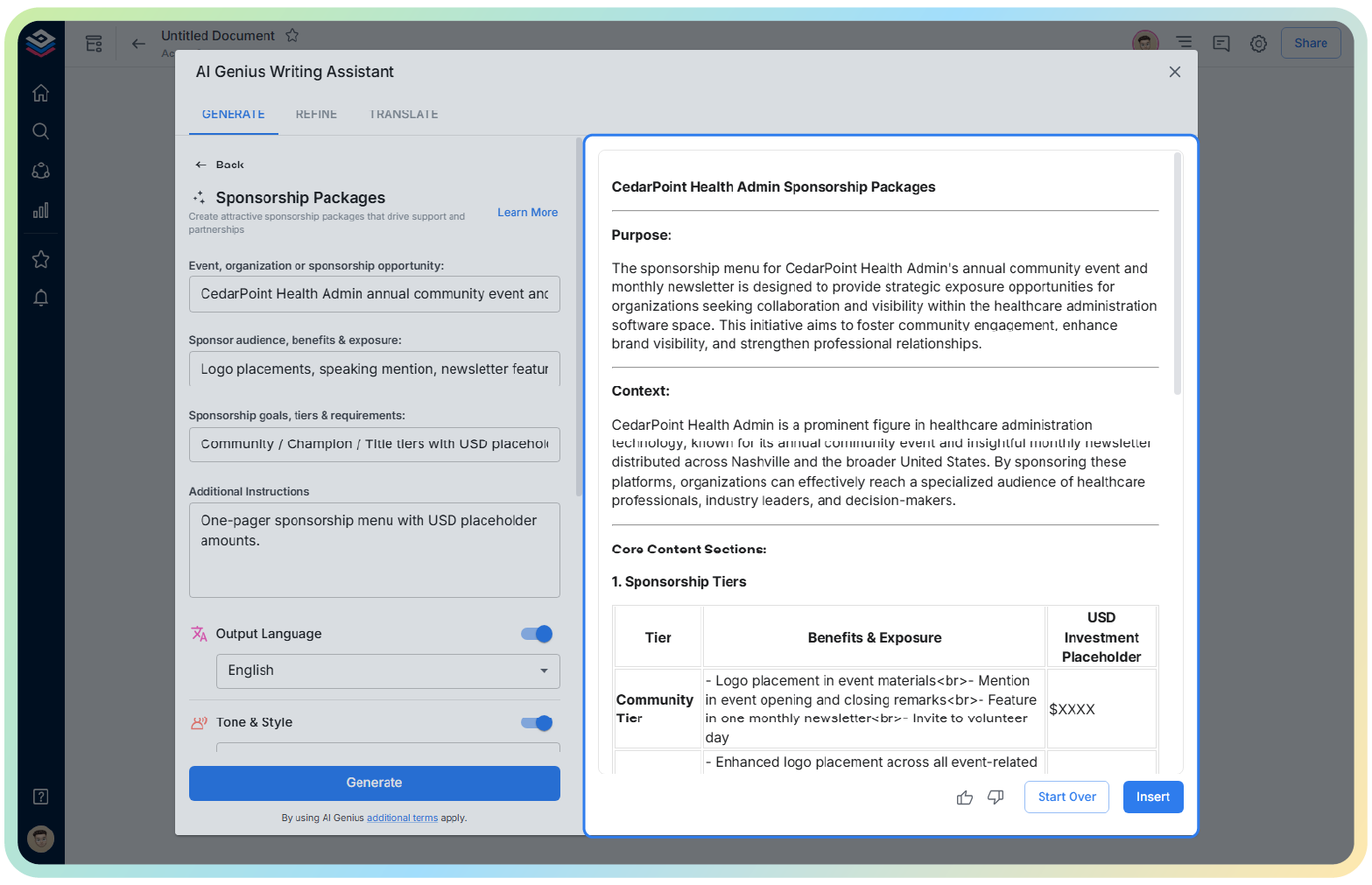
6. Click "Insert" to generate your sponsorship package. Review the proposed benefits, verify pricing and audience metrics, and personalize the document before sharing it.
Use Cases of an AI Sponsorship Package Generator
- Event Sponsorship: Event organizers can outline sponsorship tiers, promotional opportunities, branding benefits, and pricing for conferences, festivals, or community events.
- Influencer Partnerships: Creators can present audience demographics, engagement statistics, content deliverables, and collaboration options to prospective sponsors.
- Nonprofit Fundraising: Nonprofits can develop sponsorship packages that explain their mission, expected impact, supporter recognition, and funding opportunities.
- Podcast and Media Sponsorship: Podcasters and publishers can organize advertising placements, sponsored content options, episode mentions, and partnership rates.
- Sports Sponsorship: Sports organizations can present sponsorship opportunities involving team branding, event visibility, equipment, and promotional activities.
- Corporate Events: Businesses can prepare sponsorship proposals for conferences, networking events, industry gatherings, and professional programs.
Tips for Creating an Effective Sponsorship Package
- Research Potential Sponsors: Identify brands whose audiences, values, and objectives align with your event or organization.
- Lead with Audience Value: Explain who your audience is and why it matters to the potential sponsor.
- Make Benefits Specific: Describe concrete deliverables rather than relying on vague promises of exposure.
- Offer Meaningful Tiers: Differentiate packages by benefits and investment so sponsors can choose an appropriate level.
- Use Credible Metrics: Include verified audience data, engagement figures, attendance estimates, or previous campaign results.
- Set Clear Expectations: Specify deliverables, deadlines, promotional responsibilities, and any relevant terms.
- Personalize Every Proposal: Explain why the partnership makes sense for the individual sponsor instead of sending an identical package to everyone.
Wrapping Up
A successful sponsorship package does more than list prices and benefits. It communicates the value of a partnership and gives potential sponsors a clear reason to get involved.
Bit.ai’s AI Sponsorship Package Generator helps you organize your opportunities, outline sponsorship tiers, and create professional proposals in less time. Combine AI-assisted drafting with accurate data and sponsor-specific research to build packages that support stronger business relationships.
Sponsorship Package FAQs
1. What is an AI Sponsorship Package Generator?
An AI Sponsorship Package Generator helps you draft proposals that outline sponsorship opportunities, benefits, pricing, and partnership terms.
2. Who can use Bit.ai’s Sponsorship Package Generator?
Event organizers, influencers, nonprofits, podcasters, sports organizations, and businesses can use it to prepare sponsorship proposals.
3. What should a sponsorship package include?
A sponsorship package should include an organization overview, audience profile, sponsorship tiers, benefits, pricing, deliverables, performance metrics, and contact information.
4. Can I customize sponsorship packages for different brands?
Yes. You can adjust the messaging, benefits, and proposed opportunities to reflect each sponsor’s objectives and target audience.
5. Can I create multiple sponsorship tiers?
Yes. You can outline different sponsorship levels, such as Bronze, Silver, and Gold, and specify the investment and benefits associated with each.
6. How can I make my sponsorship proposal more persuasive?
Focus on audience relevance, measurable value, clear deliverables, credible supporting data, and benefits that align with the sponsor’s goals.
7. Can my team collaborate on a sponsorship package in Bit.ai?
Yes. Bit.ai supports collaborative document creation, allowing team members to review content, share feedback, and refine proposals together.