AI-POWERED DOCS & WIKIS

AI Parent Newsletter

Use Bit's AI prompt form to quickly create, organize, collaborate on, and customize in seconds.
Bit's platform will help you organize and create documents, wikis and content faster than ever. Create and share and teach with smart AI-powered docs and wikis.

Get Started for Free
Categories
Search Ai Prompts
Tools
Tools
Academic
Academic
Customer Service
Customer Service
Design
Design
Email
Freelance
Freelancer
Human Resources
HR
IT
IT/Engineering
Influencer
Influencer
Management
Management
Marketing
Marketing
Non-Profit
Non-Profit
Personal
Personal
Product
Product
Press Release
PR
Publishing
Publishing
Research
Research
Sales
Sales
Social Media
Social Media
Startup
Startup

    AI Parent Newsletter

    Create Engaging and Informative Newsletters for Parents with Ease

    Communicating important updates and events to parents can be a challenge, but it doesn’t have to be. Crafting a newsletter that informs, engages, and strengthens the relationship between school and parents can take time and effort, especially when trying to maintain the right tone and clarity.

    That’s where Bit.ai’s Parent Newsletter Generator comes in! It helps you quickly put together a well-organized, informative, and engaging newsletter that resonates with parents, saving you time and ensuring consistency.

    Let’s explore how Bit.ai’s Parent Newsletter Generator works, why it’s the perfect tool for this job, and how it can make your communication easier and more effective.

    What is a Parent Newsletter?

    A Parent Newsletter Generator is an AI-powered tool that helps educators, schools, and organizations create newsletters specifically designed for parents. Whether you’re updating parents on school events, achievements, or important announcements, this tool helps you create a polished, professional, and personalized newsletter that parents will appreciate.
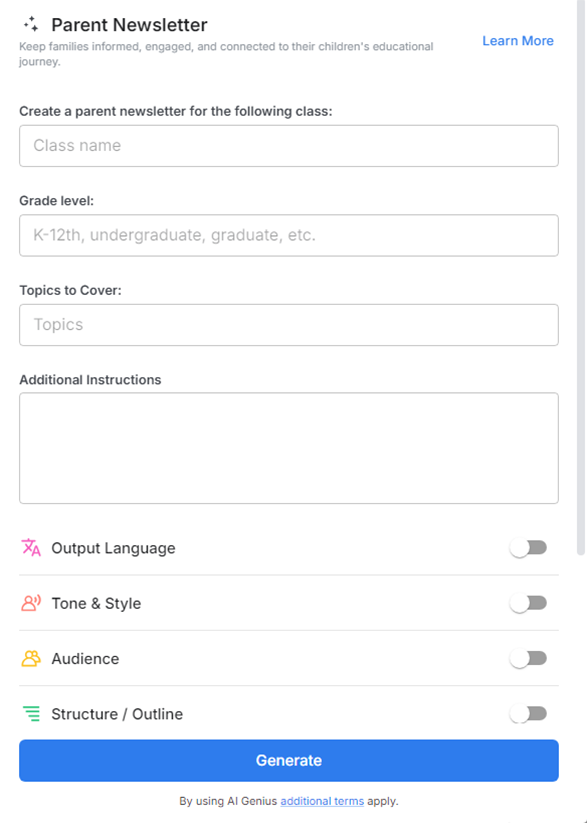
    Create Smart Documents

    Why Use a Parent Newsletter?

    • Time-Saving: Quickly generate newsletter drafts, so you don’t spend hours putting content together.
    • Customizable Content: Tailor your newsletter to specific events, updates, and important school information.
    • Engaging Tone: Maintain a friendly yet professional tone that resonates with parents.
    • Consistent Structure: Ensure that every newsletter follows a clear, organized structure for easy readability.
    • Increased Engagement: Keep parents informed and engaged with up-to-date school news and activities.
    • Professional Appearance: Send newsletters that look great and communicate effectively.

    Why Use Bit.ai to Create Parent Newsletters?

    Bit.ai takes the hassle out of newsletter creation by giving you all the tools you need in one place.

    • Pre-built Templates: Access ready-made templates specifically designed for parent newsletters, saving you time.
    • Smart Content Options: Quickly add updates, important dates, announcements, and even school highlights.
    • Customizable Layouts: Easily customize the look and feel of your newsletter to match your school’s branding.
    • Real-Time Collaboration: Share the draft with colleagues, and work together in real-time to finalize the content.
    • Multimedia Support: Add photos, videos, or links to enhance your content and keep parents engaged.
    • Centralized Organization: Keep all your newsletters stored in one place for easy access and future reference.

    How to Use Bit’s Parent Newsletter

    1. Open a new document in Bit.ai.

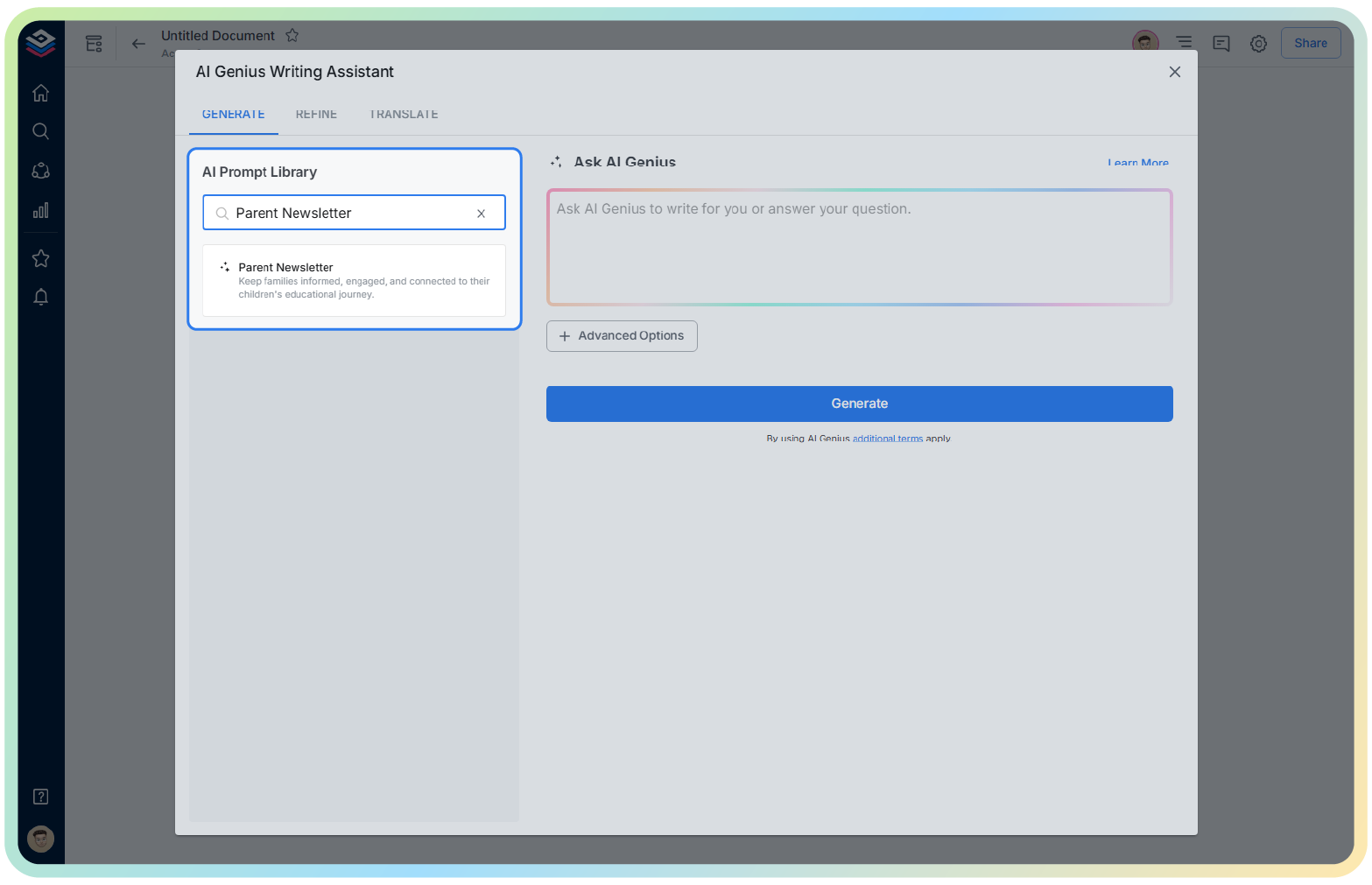
    2. Type @ on a blank line to open the AI Writing Assistant.

    3. Search Parent Newsletter Generator in the template search field on the left sidebar.

    4. Select the specific newsletter template, such as ‘Monthly Updates’ or ‘Event Announcements.’

    5. Customize the content by entering school-specific events, news, and important reminders.

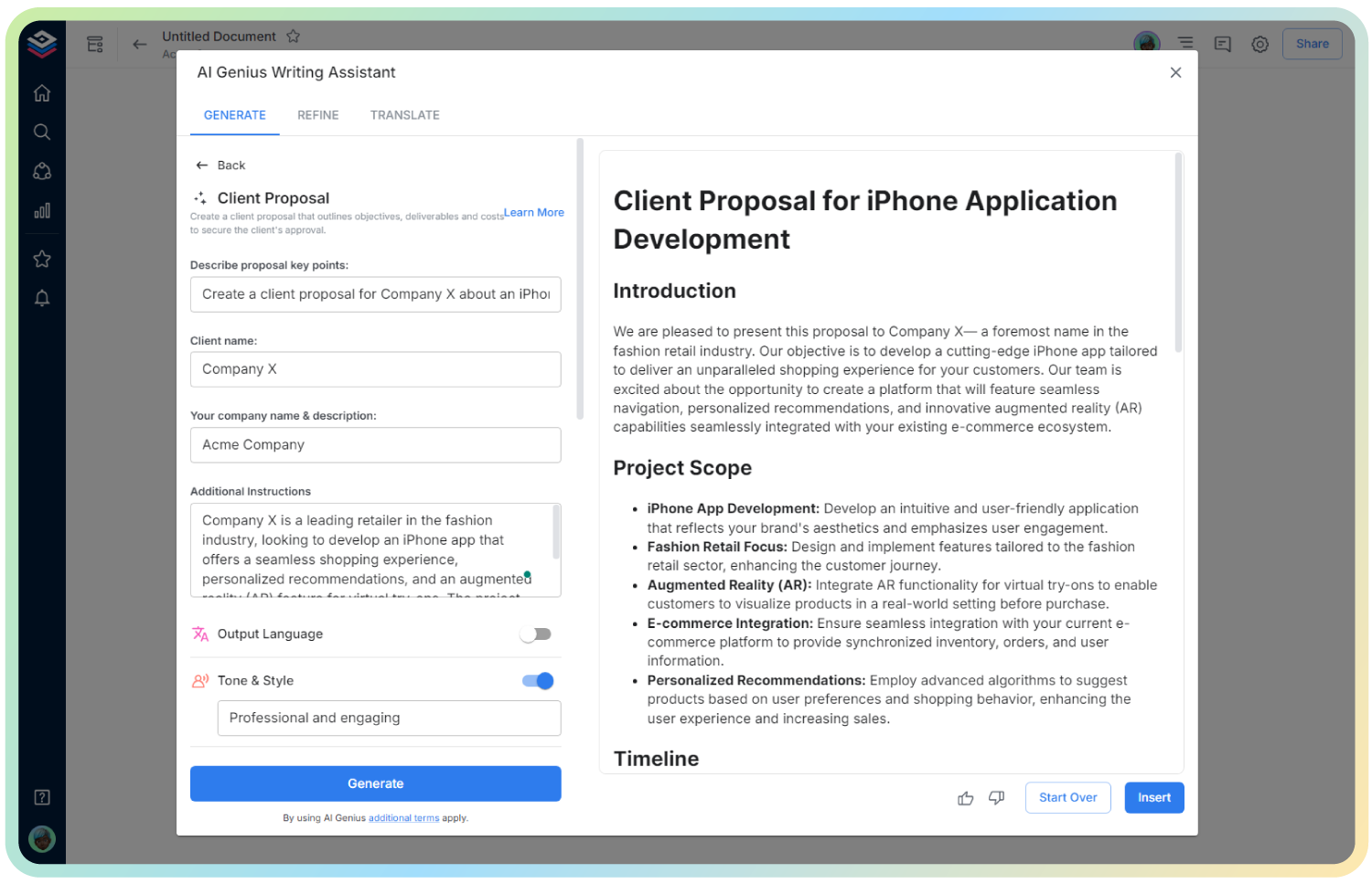
    6. Once satisfied with the content, click ‘Insert,’ and your newsletter will be added directly into your Bit document for further editing or distribution.
    Use Cases

    • Monthly School Updates: Schools use Bit.ai to create newsletters that share monthly school events, achievements, and student highlights.
    • Event Announcements: Teachers and schools send out newsletters about upcoming events such as field trips, parent-teacher meetings, or festivals.
    • Parent Engagement: Use Bit.ai to inform parents about opportunities to engage with the school, volunteer, or join committees.
    • Emergency Notifications: In case of school closures or emergencies, Bit.ai can help quickly draft and distribute clear, timely newsletters.
    • Parent-Teacher Communication: Teachers can send personalized newsletters to parents about student progress, upcoming assignments, or classroom activities.

    Wrapping Up

    With Bit’s Parent Newsletter Generator, crafting a well-written, organized, and engaging newsletter is easy and fast. Whether you’re a teacher, administrator, or school leader, this tool helps you connect with parents, keep them informed, and foster a positive relationship between home and school.

    Parent Newsletter FAQs

    1. Can I customize the content for each class or grade level?

    Yes! You can easily personalize newsletters for specific grades, classrooms, or even individual students.

    2. How do I ensure that the design aligns with our school’s branding?

    Bit.ai offers customizable layouts and formatting options to ensure your newsletter aligns with your school’s style guide.

    3. Can I add images and links to the newsletter?

    Yes, you can easily insert images, videos, and clickable links to enhance your newsletter’s content.

    How to Use Bit’s Parent Newsletter

    Get Inspired with Bit.ai's AI Templates

    See what types of smart documents you can create and collaborate on!

    Create free a account today!

    Start playing with your Bit.ai platform today and add up to 5 members and 50 documents on the free plan!
    No time constraints & no credit card required.
    * Upgrade anytime for as low as $8 per month / per user to get 20,000 Bonus AI words per month!
    AI Genius is not available on the free plan.