AI Non-disclosure agreement (NDAs)
Create a Professional NDA with Ease
A Non-Disclosure Agreement (NDA) is a crucial legal document that protects sensitive information when two parties engage in discussions or share confidential details. Whether you’re working with contractors, partners, or clients, having a solid NDA is essential to safeguard your business interests.
That’s where Bit.ai’s Non-Disclosure Agreement Generator comes in! It helps you quickly create a professional and legally binding NDA that ensures the confidentiality of your sensitive data, with minimal effort.
Let’s explore how Bit.ai’s NDA Generator simplifies this process, why it’s the best tool for your business, and how you can create NDAs effortlessly!
What is a Non-Disclosure Agreement (NDA)?
An NDA Generator is a tool that helps you create a legally sound Non-Disclosure Agreement, also known as a confidentiality agreement. It outlines the terms under which one or more parties agree to keep certain information private, ensuring that sensitive details are not disclosed to unauthorized third parties.
.png)
Why Use a Non-Disclosure Agreement (NDA)?
- Time-Saving: Generate a complete and legally compliant NDA in minutes, without needing to draft it from scratch.
- Professional & Clear: Ensure your NDA is clearly written and covers all necessary terms, such as confidentiality, duration, and responsibilities.
- Legal Protection: Create legally binding agreements that protect sensitive information, intellectual property, and business data.
- Customization: Tailor the agreement to your specific needs by including relevant clauses, terms, and conditions.
- Consistency: Ensure consistency in all NDAs you generate, making sure each agreement is uniform and professionally drafted.
- Comprehensive Coverage: Create an NDA that covers all essential aspects, including confidentiality, exclusions, and legal remedies.
Why Use Bit.ai to Create Non-Disclosure Agreement NDAs?
Bit’s Non-Disclosure Agreement Generator is the ideal solution for quickly creating clear and legally binding agreements. Here’s why:
- Pre-Built Templates: Access templates for different types of NDAs, whether for employees, contractors, or business partners.
- Tailored Terms: Modify the NDA to include any specific terms, such as duration, geographical scope, and exclusions.
- Legally Sound: Bit.ai’s templates are designed to meet best practices and legal standards, ensuring your NDA is robust.
- Ease of Use: The intuitive platform makes it simple to generate NDAs in just a few clicks.
- Collaborative Features: Easily share the generated NDA with your team for collaboration, feedback, and final review.
- All-in-One Platform: Keep all your NDAs, contracts, and legal documents in one place for easy access and management.
How to Use Bit’s Non-Disclosure Agreement
1. Open a new document in Bit.ai.

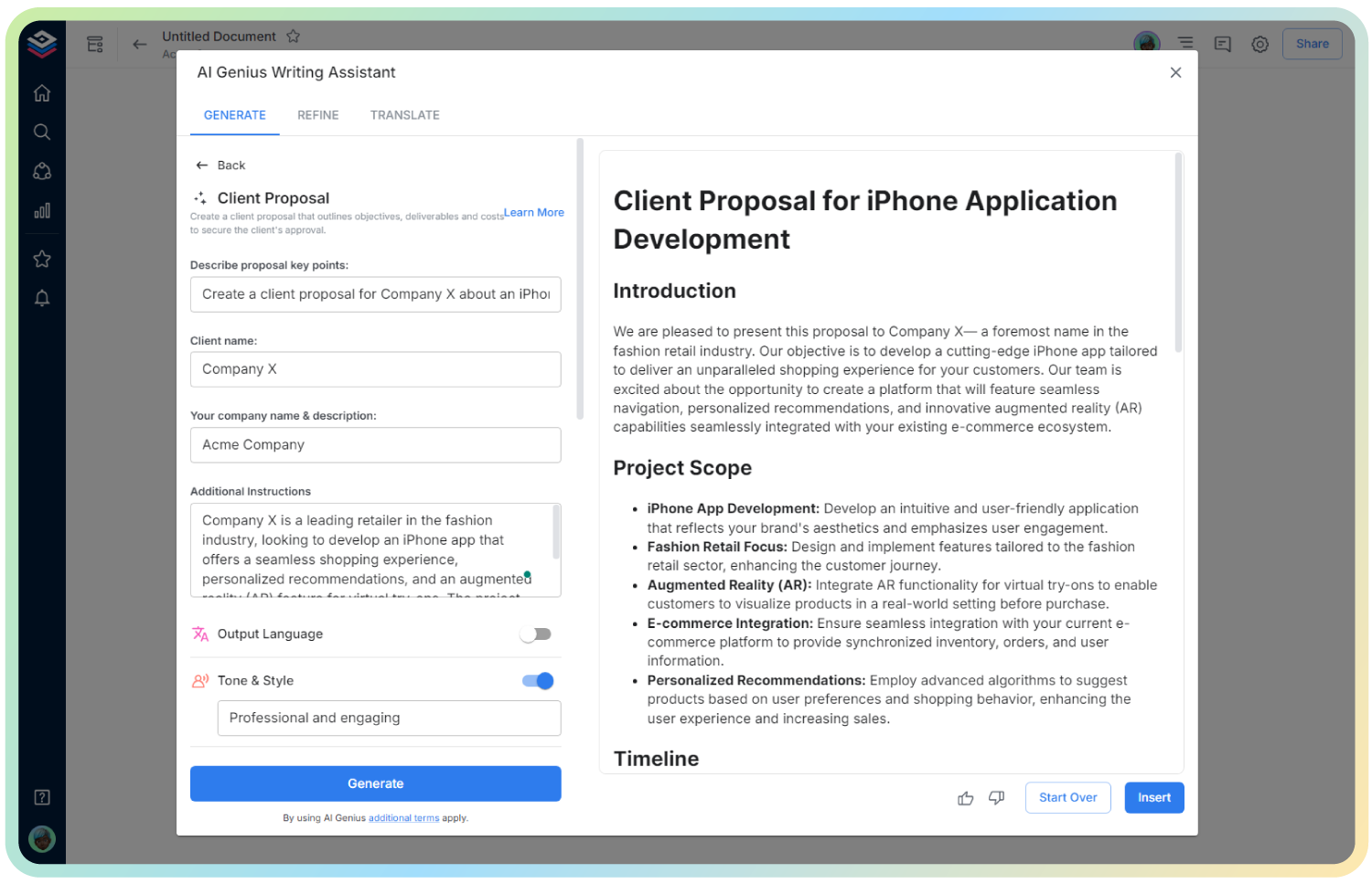
2. Type @ on a blank line to open up the AI Writing Assistant.

%20Step%203.png)
4. Fill out the quick Instagram Post Generator entry form, and Bit.ai will generate a customized post.

5. Fill in the details, such as the parties involved, confidential information, duration, and any exclusions or restrictions.

6. Once you’re satisfied with the agreement, click ‘Insert,’ and the NDA will be added to your Bit document.