


AI Meeting Update Email
Keep Your Team Informed with Effortless Meeting Update Emails
Meeting update emails are key for keeping everyone in the loop after a discussion. Whether you’re summarizing key points, outlining action items, or simply keeping stakeholders informed, a clear and concise meeting update email ensures that nothing slips through the cracks. With Bit.ai’s Meeting Update Email tool, you can easily create professional, informative, and engaging emails that keep everyone on the same page.
Let’s walk through the simple steps to craft an impactful meeting update email using Bit.ai!
What is a Meeting Update Email?
A meeting update email is sent after a meeting to share a summary of the key discussion points, decisions made, and the action items assigned to team members. It serves as a record of the meeting, helps ensure everyone is aligned, and can remind recipients of any tasks they need to follow up on. Bit.ai makes this process easy, so you can create emails that are both informative and easy to digest.
Why Use Bit.ai’s Meeting Update Email Tool?
- Stay Organized: Keep track of what was discussed and what needs to be done next, all in one email.
- Ensure Clarity: Clear, concise emails ensure everyone knows what’s expected of them after a meeting.
- Improve Accountability: Action items and deadlines are explicitly outlined, so everyone knows their responsibilities moving forward.
- Save Time: Bit.ai’s customizable templates and intuitive design make writing meeting update emails quick and easy.
- Boost Collaboration: With a shared understanding of meeting outcomes, your team can collaborate more effectively.
Why Choose Bit.ai for Meeting Update Emails?
Bit.ai’s Meeting Update Email tool provides a seamless experience for creating clear and actionable meeting summaries. Here’s why it’s the best choice for your team:
- Customizable Templates: Choose from a variety of templates that suit different types of meetings—whether it’s a team meeting, client call, or internal update.
- Quick Summaries: With pre-set fields for meeting notes, decisions, and action items, you can quickly compile a comprehensive update.
- Professional Design: Your email will look polished and professional, giving your updates a clean, organized appearance.
- Actionable Items: Add clear action items and deadlines, ensuring everyone knows their next steps and the timeline.
- Mobile-Responsive: Bit.ai ensures your meeting update emails are easily readable on any device, making it easy for recipients to catch up wherever they are.
How to Use Bit.ai’s Meeting Update Email
1. Open a new document in Bit.ai.

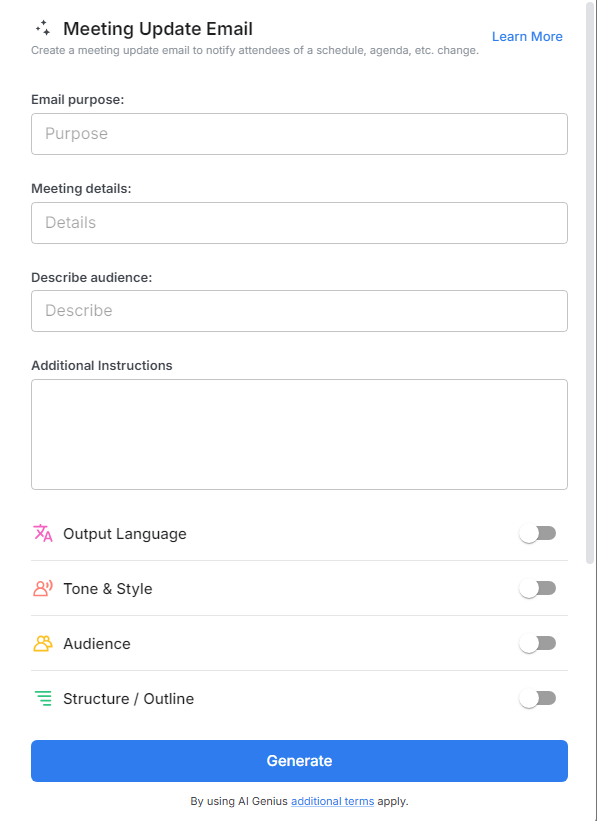
2. Type @ on a blank line to open up the AI Writing Assistant.

3. Search Instagram Post Generator from the template search field on the left sidebar.

4. Fill out the quick Instagram Post Generator entry form, and Bit.ai will generate a customized post.

5. Select advanced options to personalize your email further.

6. Click 'Insert' to finalize and then and schedule it with just a few clicks to make sure it arrives at the right moment.
