


AI Meeting Invitation Email
Effortless and Professional Meeting Invitations at Your Fingertips
A well-crafted meeting invitation email is the first step in ensuring a successful meeting. Whether you’re inviting team members to a brainstorming session, scheduling a client meeting, or organizing an internal review, Bit.ai’s Meeting Invitation Email tool allows you to create clear, professional, and engaging emails that set the tone for your upcoming discussions. Let’s dive into the simple steps for crafting your perfect meeting invitation email with Bit.ai!
What is a Meeting Invitation Email?
A meeting invitation email is a message sent to inform recipients about an upcoming meeting, providing them with all the details they need to attend and participate. It includes essential information such as the meeting time, date, location (or virtual link), agenda, and any other preparations required. Bit.ai helps you craft these emails quickly and professionally, ensuring that your invitees have everything they need to join the meeting prepared.
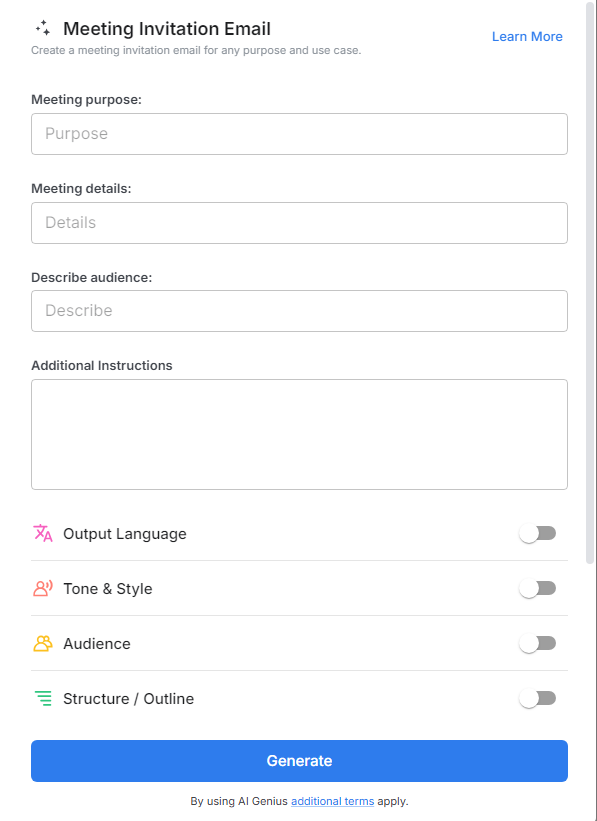
Why Use Bit.ai’s Meeting Invitation Email Tool?
- Save Time: Quickly create and send professional invitations without spending time formatting or worrying about missing details.
- Clear & Concise: Ensure all the necessary meeting information is included in an easy-to-read format.
- Boost Professionalism: Send a polished and branded invitation that reflects well on your company.
- Maximize Engagement: With a well-written invitation, your recipients will understand the purpose of the meeting and feel compelled to attend.
- Flexibility: Whether in-person or virtual, Bit.ai adapts to your meeting needs with customizable templates and formats.
Why Choose Bit.ai for Meeting Invitations?
Bit.ai’s Meeting Invitation Email tool is designed to make your life easier. Here’s why it’s the best option for inviting people to meetings:
- Customizable Templates: Choose from a wide selection of templates that fit any type of meeting—whether it’s a conference call, in-person meeting, or workshop.
- Pre-built Sections: Quickly fill in essential details like the meeting agenda, location, and time, without worrying about missing anything.
- Professional Design: Your meeting invitations will look polished and sleek, with a design that fits your brand.
- Integration Capabilities: Seamlessly integrate with your calendar or scheduling tools to sync meeting times and make the process even more efficient.
- Tracking & Reminders: Keep track of who has accepted the invitation, and send reminders as the meeting time approaches to ensure everyone is on the same page.
How to Use Bit.ai’s Meeting Invitation Email
1. Open a new document in Bit.ai.

2. Type @ on a blank line to open up the AI Writing Assistant.

3. Search Instagram Post Generator from the template search field on the left sidebar.

4. Fill out the quick Instagram Post Generator entry form, and Bit.ai will generate a customized post.

5. Select advanced options to personalize your email further.

6. Click 'Insert' to finalize and then and schedule it with just a few clicks to make sure it arrives at the right moment.
