


AI Introduction Email to Customers
Make Your First Impression Count with the Perfect Introduction Email
An introduction email is your opportunity to set the tone for a long-lasting and positive relationship with your new customers. Whether you’re welcoming them to your service, informing them about a product, or simply starting the conversation, an introduction email is essential for creating a welcoming and professional first impression. With Bit.ai’s Introduction Email tool, you can craft personalized, engaging, and informative emails that connect with your customers right from the start.
Let’s walk through the simple steps to create an exceptional introduction email using Bit.ai!
What is an Introduction Email?
An introduction email is the first message you send to a customer after they’ve made contact with your business or signed up for your service. This email typically includes information about your brand, what you offer, and how the customer can get started. It’s a chance to establish trust, build rapport, and offer your support. Bit.ai helps you send a friendly, professional, and welcoming email that sets the stage for a successful customer relationship.
Why Use Bit.ai’s Introduction Email Tool?
- Make a Great First Impression: The first email your customers receive sets the tone for your entire relationship. Bit.ai helps you create a message that’s welcoming, clear, and professional.
- Increase Engagement: An engaging introduction email encourages your customer to take the next step, whether it’s exploring your website, signing up for an offer, or making a purchase.
- Build Trust: Introduce your brand in a way that makes your customer feel confident and excited to do business with you.
- Save Time: Bit.ai’s ready-made templates and personalization features make it easy to create tailored emails quickly.
- Automated Follow-ups: Set up automated follow-up emails to keep the conversation going, ensuring no customer feels neglected.
Why Choose Bit.ai for Introduction Emails?
Bit.ai’s Introduction Email tool is designed to make your emails stand out, ensuring your customer feels valued from the very beginning. Here’s why it’s the best option for your business:
- Customizable Templates: Choose from a variety of professional templates designed for different industries and use cases.
- Personalized Touch: Use dynamic fields to add a personal touch, such as the customer’s name or recent interactions with your business.
- Clear and Concise Design: Present key information in a straightforward, easy-to-read format to maximize clarity and avoid overwhelming your new customer.
- Mobile-Responsive: Your introduction email will look stunning on any device, ensuring a seamless experience for your customers, no matter how they access it.
- Seamless Integration: Integrate with your email marketing platform to send your emails effortlessly.
How to Use Bit.ai’s Introduction Email To Customers
1. Open a new document in Bit.ai.

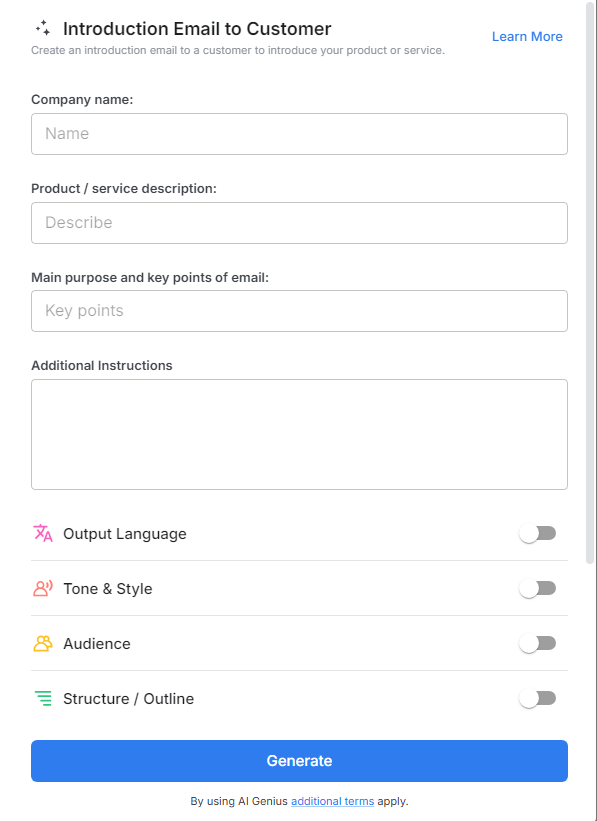
2. Type @ on a blank line to open up the AI Writing Assistant.

3. Search Instagram Post Generator from the template search field on the left sidebar.

4. Fill out the quick Instagram Post Generator entry form, and Bit.ai will generate a customized post.

5. Select advanced options to personalize your email further.

6. Click 'Insert' to finalize and then and schedule it with just a few clicks to make sure it arrives at the right moment.
