


AI Freelance Portfolio
Showcase Your Work Like a Pro
As a freelancer, your portfolio is your most powerful tool to attract clients and showcase your skills. But building and maintaining a portfolio that truly stands out can feel like a daunting task. Between juggling deadlines and finding new projects, who has the time to create a polished portfolio that truly reflects your talent?
That’s where Bit.ai’s Freelance Portfolio tool comes in. Whether you’re a graphic designer, writer, photographer, or web developer, Bit.ai makes it easier than ever to create a stunning portfolio that highlights your best work and impresses potential clients—all without the hassle.
Let’s dive into how Bit.ai’s Freelance Portfolio tool can elevate your freelancing game and showcase your skills with ease.
What is a Freelance Portfolio?
A Freelance Portfolio is your digital portfolio, reimagined. It’s a visually appealing, easy-to-use platform that lets you display your work in a professional and organized manner. With this tool, you can upload images, add project descriptions, and customize the look and feel of your portfolio—everything you need to attract clients and land your next big gig.
Why Use a Freelance Portfolio ?
- Showcase Your Best Work: This tool makes it simple to upload your projects, complete with images, descriptions, and links. Whether it’s a logo you designed, a website you built, or an article you wrote, your portfolio will highlight your best work.
- Professional Presentation: No more clunky PDF portfolios or outdated websites. It gives you a sleek, professional-looking platform to present your work, boosting your credibility and attracting clients.
- Customization at Your Fingertips: Tailor the design and layout of your portfolio to match your personal brand. Choose from various templates and styles that reflect your unique aesthetic and personality.
- User-Friendly: Whether you’re tech-savvy or not, this tool makes it easy to create a beautiful portfolio without needing coding skills or design experience.
- Keep It Organized: With clean and easy-to-navigate interface, you can categorize your projects, making it easy for clients to browse and find exactly what they’re looking for.
Why Choose Bit.ai for Your Freelance Portfolio?
Bit.ai is more than just a place to showcase your work—it’s an all-in-one portfolio and client management tool. Here’s how it takes your freelancing to the next level:
- Instantly Professional: Bit.ai instantly elevates your portfolio to a polished, professional level, so you can impress potential clients from the first click.
- Customizable Templates: Choose from a variety of templates and designs to create a portfolio that’s as unique as your work. Tailor fonts, colors, and layouts to align with your personal style.
- Mobile-Friendly: Your portfolio will look stunning on any device, ensuring that clients can view your work seamlessly on the go, from their laptop or smartphone.
- All-in-One Platform: Bit.ai’s platform allows you to showcase your work and manage your clients in one place. You can also track project progress, manage deadlines, and even send proposals directly through your portfolio.
- Collaborative Features: Need feedback on your work? With Bit.ai, you can easily share your portfolio with others for collaboration, or even invite clients to leave comments and suggestions directly within your portfolio.
How to Use Bit.ai’s Freelance Portfolio
1. Open a new document in Bit.ai.

2. Type @ on a blank line to open up the AI Writing Assistant.


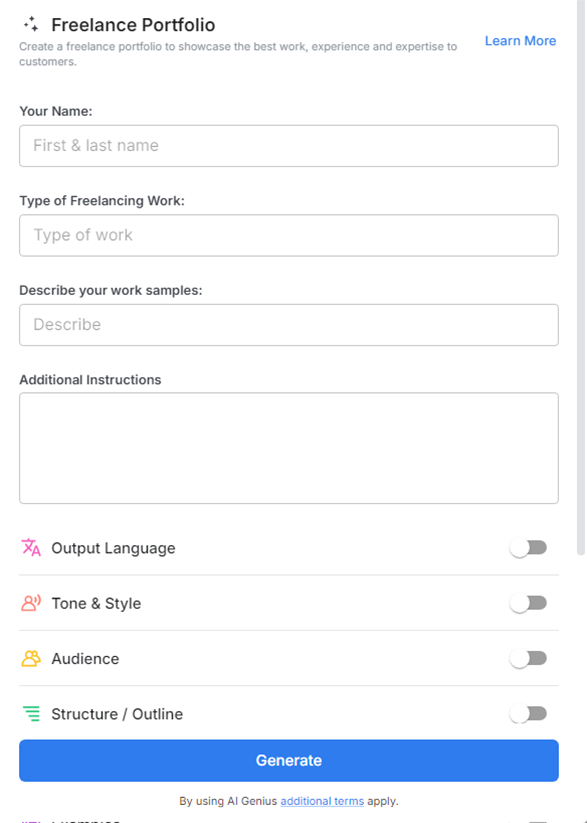
4. Fill out the quick Instagram Post Generator entry form, and Bit.ai will generate a customized post.

5. Personalize your portfolio with 'advanced settings' by adding or adjusting any specific items or terms.

6. Once you’re satisfied, click ‘Insert,’ and your portfolio will be ready.
