


AI Feedback Request Email
Crafting Emails that Encourage Valuable Insights
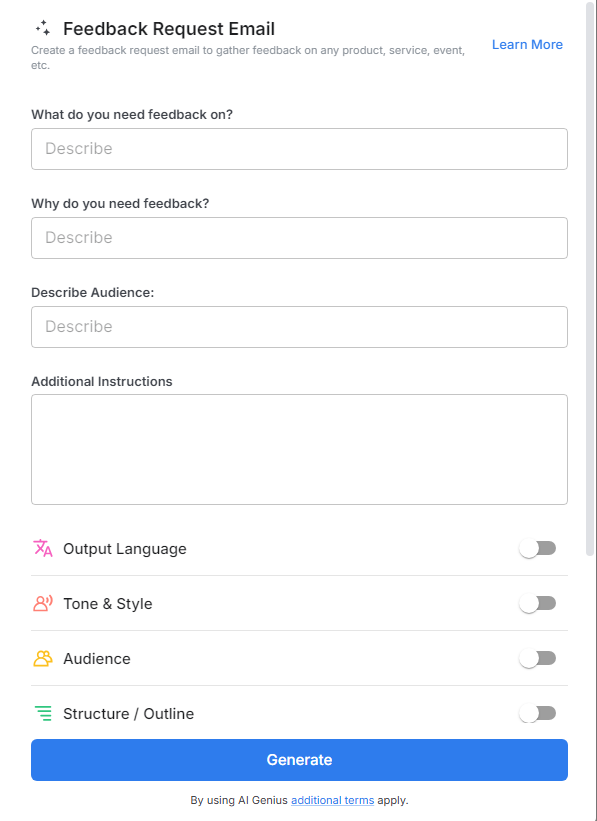
A Feedback Request Email is a vital tool for gathering valuable input from employees, customers, or clients. Whether you're looking to improve your services, products, or workplace culture, asking for feedback can provide you with the insights needed to make informed decisions and drive continuous improvement. However, creating a compelling feedback request email that motivates recipients to take the time to share their thoughts can be tricky. Bit.ai’s Feedback Request Email is designed to make this process easier by helping you craft professional, polite, and engaging emails that encourage meaningful responses.
With Bit.ai’s Feedback Request Email, you can create personalized, visually appealing, and effective emails that drive higher response rates and ensure that you get the feedback you need to improve. Say goodbye to generic, uninspiring feedback requests, and say hello to engaging emails that get results.
What is a Feedback Request Email?
A Feedback Request Email is a message sent to ask recipients for their opinions, suggestions, or reviews on a specific product, service, experience, or event. These emails should be polite and professional, showing respect for the recipient’s time and input. It’s important to be clear and direct about the purpose of the email, explaining why feedback is being requested and how the recipient’s input will be used to improve the product or service.
Why Use a Feedback Request Email?
- Encourages Engagement: Invites recipients to share their opinions, fostering a sense of involvement and connection.
- Drives Improvement: Collects valuable insights to identify areas for growth and enhance products, services, or processes.
- Shows You Value Opinions: Demonstrates that customer, employee, or stakeholder perspectives are important to your organization.
- Enhances Relationships: Builds trust by showing a commitment to listening and acting on feedback.
- Supports Data-Driven Decisions: Provides actionable information to guide strategic planning and informed decision-making.
Why Use Bit.ai for Your Feedback Request Emails?
Bit.ai’s Feedback Request Email Tool makes crafting professional and effective emails quick and easy. Here’s how it can help you:
- Customizable Templates: Bit.ai offers a range of pre-designed, customizable templates that make it easy to create a feedback request email that suits your purpose. Whether you’re asking for customer feedback, employee suggestions, or event reviews, there’s a template for every occasion.
- User-Friendly Interface: Bit.ai’s drag-and-drop functionality allows you to add content, images, and links with ease. You don’t need to be a designer to create an appealing, well-structured email.
- Personalization: Easily personalize your email by adding the recipient's name, specific feedback questions, or relevant context to make it feel tailored to the individual.
- Survey Integration: Link directly to surveys or feedback forms with Bit.ai’s easy-to-use embedding features. You can also include rating systems or comment boxes to simplify the feedback process.
- Efficient Distribution: Once your email is ready, Bit.ai allows you to quickly send it via email, social media, or as a downloadable PDF, making it simple to reach your target audience.
- Automatic Follow-Ups: Send gentle reminders to those who haven’t responded, helping you collect more feedback with minimal effort.
How to Use Bit.ai’s Feedback Request Email
1. Open a new document in Bit.ai.

2. Type @ on a blank line to open up the AI Writing Assistant.

3. Search Instagram Post Generator from the template search field on the left sidebar.

4. Fill out the quick Instagram Post Generator entry form, and Bit.ai will generate a customized post.

5. Add sections to express why their feedback is valuable, how it will be used, and any deadline for submitting the feedback.

Click 'Insert' to finalize your feedback request email, ready to send and gather valuable input from the recipient.
