


AI Employee Appreciation Email
Recognize and Celebrate Your Team’s Contributions
Sending an employee appreciation email is one of the simplest yet most impactful ways to acknowledge the hard work, dedication, and achievements of your team members. Whether it’s to celebrate a job well done, mark a milestone, or simply show gratitude, expressing appreciation helps boost morale, improve job satisfaction, and foster a positive work culture. Crafting a thoughtful and effective appreciation email can be challenging, especially when you want to make it personal and meaningful.
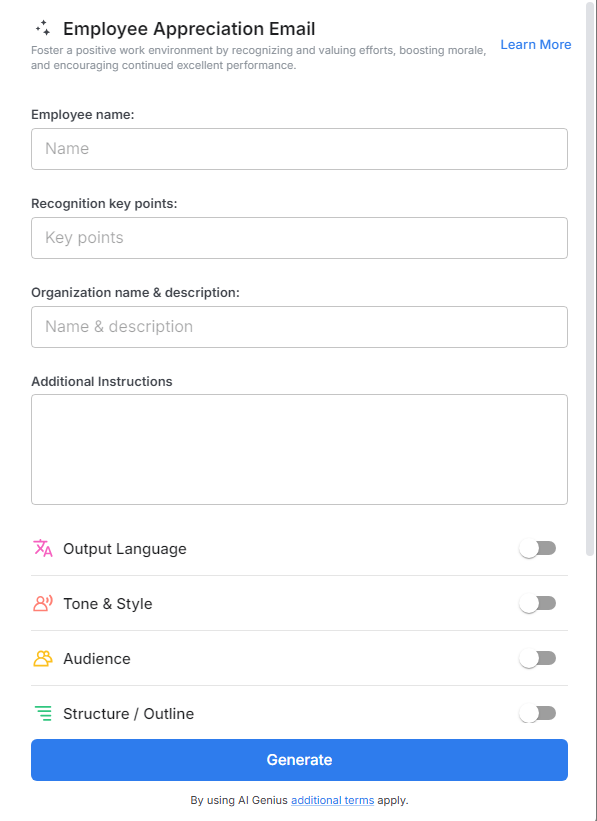
Bit.ai’s Employee Appreciation Email streamlines the process of crafting personalized and meaningful appreciation emails that make your employees feel valued and motivated. Whether you’re celebrating small wins or major accomplishments, Bit.ai helps you deliver messages that inspire continued success and engagement.
What is an Employee Appreciation Email?
An Employee Appreciation Email is a message sent to employees to acknowledge their hard work, achievements, or commitment. These emails serve various purposes, such as recognizing individual achievements by appreciating the effort behind completing a significant task, project, or milestone. They also celebrate team success, highlighting the collective efforts of a group that contributed to reaching a goal or meeting a target. Additionally, appreciation emails mark special occasions, like work anniversaries, birthdays, or promotions, making employees feel valued on important personal milestones.
Why Use an Employee Appreciation Email?
- Boosts Morale: Recognizing employees’ efforts and achievements fosters a positive work environment and increases overall job satisfaction.
- Encourages Productivity: Appreciation motivates employees to maintain high performance and strive for continued success.
- Strengthens Team Bonding: Celebrating individual and team accomplishments creates a sense of unity and belonging within the organization.
- Reinforces Company Values: Appreciation emails align with company culture, showcasing your commitment to recognizing hard work and dedication.
- Enhances Retention Rates: Employees who feel valued are more likely to remain loyal, reducing turnover and building a strong, dedicated workforce.
Why Use Bit.ai for Your Employee Appreciation Emails?
Bit.ai’s Employee Appreciation Email Tool is designed to make it easier for managers, HR teams, and business leaders to create powerful and personalized messages that go beyond the generic “thanks.” Here’s why Bit.ai is the go-to tool for crafting employee appreciation emails:
- Customizable Templates: Choose from a variety of professionally designed email templates specifically tailored for employee appreciation, or create your own from scratch.
- Personalization Options: Add personalized details such as the employee’s name, role, achievements, and unique contributions. Personalizing your email helps to make the recipient feel seen and appreciated.
- Real-Time Collaboration: Whether you’re working with HR, managers, or team leaders to craft the perfect message, Bit.ai enables real-time collaboration to ensure your appreciation email is meaningful and effective.
- Engaging Visuals: Make your email stand out with engaging visuals like images, icons, or celebratory graphics. Bit.ai’s drag-and-drop editor makes it easy to add these elements, enhancing the impact of your appreciation message.
- Metrics and Analytics: Track how many employees opened and engaged with your appreciation email, allowing you to assess the effectiveness of your communications and continuously improve.
How to Use Bit.ai’s Employee Appreciation Email
1. Open a new document in Bit.ai.

2. Type @ on a blank line to open up the AI Writing Assistant.

3. Search Instagram Post Generator from the template search field on the left sidebar.

4. Fill out the quick Instagram Post Generator entry form, and Bit.ai will generate a customized post.

5. Personalize the email by adding details such as the employee's name, specific accomplishments, and any custom message you want to convey.

6. Review the email and collaborate with others if needed for feedback.
