


AI Email Generator
Create Engaging Emails That Captivate Your Audience
In the ever-evolving world of digital communication, crafting the perfect email can be a game changer. Whether you’re reaching out to clients, sharing updates, or promoting a product, your emails need to grab attention and drive action. If your email game feels lackluster, it’s time to elevate your communication strategy.
With Bit.ai’s Email Generator, you can create compelling, professional emails that resonate with your audience—all without the stress of starting from scratch every time. Let’s dive into this fantastic tool, explore its benefits, and discover how Bit.ai makes email creation a walk in the park!
What is an Email Generator?
Think of the Email Generator as your personal email assistant, ready to help you craft engaging messages tailored to any situation. This user-friendly tool offers a variety of templates and ideas to simplify your email writing process, making it easier to connect with your audience in a meaningful way.
Why Use an Email Generator?
- Time Saver: Say goodbye to endless hours spent crafting the perfect message! The Email Generator helps you whip up polished emails quickly, so you can focus on other important tasks.
- Creativity Booster: Feeling uninspired? This tool provides an array of templates and ideas to spark your creativity and get your thoughts flowing.
- Consistency Creator: Maintain a cohesive brand voice across all your communications with templates that ensure your emails are always on-brand and professional.
- No Experience Needed: You don’t have to be a writing whiz to create engaging emails. The Email Generator makes it simple for anyone on your team to produce captivating content.
- Versatile & Adaptable: Whether it’s a promotional email, a follow-up, or a newsletter, the Email Generator can be tailored to fit any type of email you need to send.
Why Use Bit.ai to Generate Emails?
This clever tool streamlines the process of crafting engaging emails, allowing you to elevate your communication efforts without the headache of starting from scratch. Here’s how Bit.ai can transform your email strategy!
- Quick & Engaging Emails: Create eye-catching emails effortlessly, ensuring you connect with your audience and drive engagement without the stress of long writing sessions.
- Tailored Messaging: Customize your emails for different recipients or campaigns, so each message resonates with its intended audience.
- Keyword Optimization: Easily incorporate relevant keywords to enhance your emails’ searchability, helping you get noticed in crowded inboxes.
- Speaking Your Brand Voice: Bit.ai allows you to match the tone and style of your emails to your brand’s unique personality, ensuring every message feels authentic.
- Audience Focused: Understand your audience better by tailoring your emails to their preferences and interests, ultimately boosting response rates.
- Team Collaboration: Bring your team together to brainstorm and refine email content using Bit.ai’s collaborative features—think of it as a creative workshop for your email campaigns!
- Organized Emails: Keep all your email templates and drafts organized and easily accessible within one platform, making it a breeze to find what you need when it’s time to hit send.
How To Use Bit.ai Email Generator
1. Open a new document in Bit.ai.

2. Type @ on a blank line to open up the AI Writing Assistant.


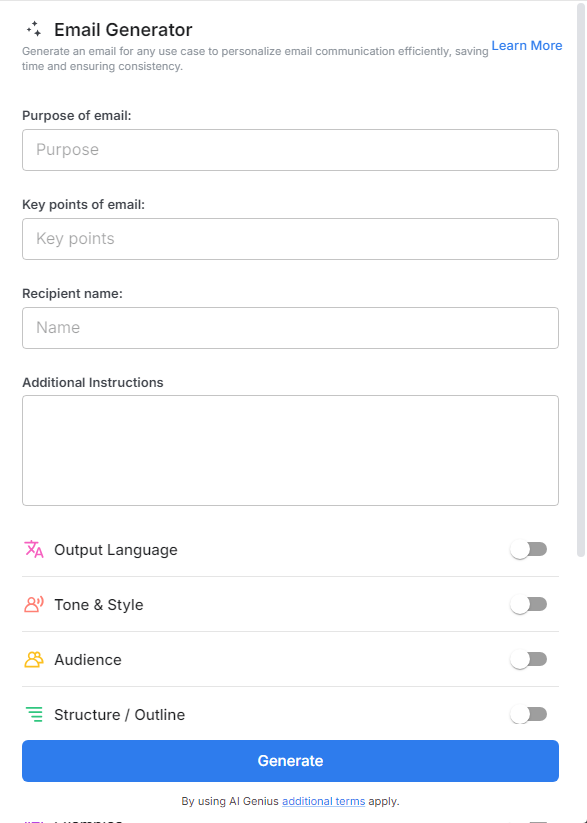
4. Fill out the quick Instagram Post Generator entry form, and Bit.ai will generate a customized post.

5. Personalize your email by clicking on ‘Advanced Options’ to add your unique touch or adjust the style to match your brand voice.

6. Once you’re happy with the result, hit ‘Insert,’ and it’ll be added to your Bit document for easy access.
