


AI Design System Document
Create Consistency and Streamline Your Design Process
A well-organized design system is the backbone of any brand’s visual identity and digital experience. But keeping track of all your design guidelines, components, and assets can often become chaotic, leading to inconsistencies and wasted time. Bit.ai’s Design System Document is here to bring structure and clarity to your design process. With Bit.ai, you can maintain consistency, save time, and ensure that every design element aligns perfectly with your brand vision.
What is a Design System Document?
Think of Design System Document as a creative space for all things design-related. It’s a comprehensive, organized space where you can house your brand guidelines, UI components, color palettes, typography, and more. Whether you’re working solo or collaborating with a design team, this tool ensures that everyone stays on the same page and adheres to the same visual standards.
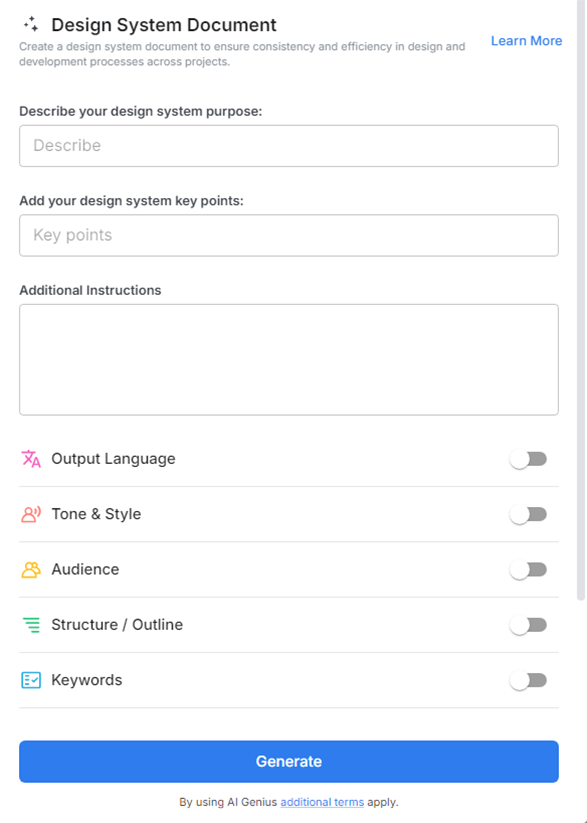
Why Use a Design System Document?
- Consistency Across Projects: Keep your design elements unified across all platforms and projects, ensuring your brand’s identity remains intact.
- Time-Saving Efficiency: Streamline your workflow by accessing and reusing components and templates directly within the document.
- Easy-to-Find Assets: Quickly locate and update design assets, components, and styles to ensure a smooth, consistent workflow.
- Scalable for Growth: As your brand evolves, this tool helps you seamlessly update and scale your design system with ease.
Why Use Bit.ai for Your Design System Document?
Bit.ai isn’t just about keeping things organized—it’s built to enhance collaboration, save time, and keep your design system flexible as your brand grows.
- User-Friendly Interface: Bit.ai’s intuitive design makes it easy for anyone to create, manage, and share documents without a steep learning curve.
- Customizable Templates: Utilize customizable templates tailored for different design needs, allowing you to save time and maintain consistency across projects.
- Multimedia Support: Enhance your design documents with images, videos, and links to external resources, creating richer and more informative content.
- Interactive Components: Add reusable components like buttons, forms, and layouts that can be updated in real-time across all documents.
- Live Collaboration: Design teams can collaborate in real time, ensuring updates and changes are reflected immediately across your design system.
- Version Control: Track changes and revisions to design elements so you can easily revert to previous versions if needed.
- Integrated Analytics: Gain insights into how your documents are being used and accessed, allowing you to make informed decisions about future projects and collaboration.
How to Use Bit.ai’s Design System Document
1. Open a new document in Bit.ai.

2. Type @ on a blank line to open up the AI Writing Assistant.


4. Fill out the quick Instagram Post Generator entry form, and Bit.ai will generate a customized post.

5. Personalize it by clicking on ‘Advanced Options’ to infuse your unique voice and tweak the style to align with your brand.

6. Once you’re satisfied, click ‘Insert,’ and it’ll be added to your Bit document.
