


AI Color Style Guide Generator
Bring Your Brand's Palette to Life with Precision
Ever felt that rush of excitement when you find the perfect color palette that just clicks? Crafting a color style guide is about more than choosing pretty colors—it’s about creating a cohesive, recognizable brand identity that resonates. Bit.ai’s Color Style Guide Generator is here to help you build that visual harmony, offering tailored color suggestions and guidelines that define your brand's essence. From choosing primary and secondary colors to building a cohesive palette for all your brand elements, this tool simplifies the process of creating a vibrant, professional color guide.
Ready to color your brand’s world? Let’s get started!
What is a Color Style Guide Generator?
A Color Style Guide Generator is an AI-powered tool that helps you define and organize color schemes for your brand. Bit.ai’s Color Style Guide Generator provides comprehensive color recommendations, from primary brand colors to accent tones, and offers insights into usage to maintain consistency across all your brand materials. This generator helps you streamline color selection, ensuring a unified visual experience from your website to your marketing assets.
Why Use a Color Style Guide Generator?
- Consistent Branding: Create a standardized palette that’s easy to follow, so all your branding materials stay visually cohesive.
- Instant Color Suggestions: Quickly generate color combinations and schemes tailored to your brand's personality, style, and industry.
- Guided Use Cases: Receive recommendations for color applications (primary, secondary, accents) to make the most of your palette.
- Accessibility Support: Get guidance on color contrasts and combinations that enhance readability and inclusivity.
- Save Time & Effort: Ditch endless trial-and-error sessions and let the generator guide your color decisions with data-backed insights.
Why Use Bit.ai for Color Style Guide Creation?
- Vibrant Templates: Bit.ai’s Color Style Guide Generator provides flexible templates that cover all the essentials of color selection, helping you create a polished style guide with ease.
- Rich Media Options: Embed color inspiration images, hex codes, and palettes directly in your document, making your guide comprehensive and easy to reference.
- Collaborative Input: Share your color guide with team members for feedback and brainstorming in real time, enhancing the creative process.
- Version Control: Track updates and revisions to your color guide effortlessly, making it easy to refresh palettes as your brand evolves.
- Centralized Organization: Keep your color guide, logo assets, and design guidelines all in one place for seamless brand management.
How to Use Bit.ai’s Color Style Guide Generator
1. Open a new document in Bit.ai.

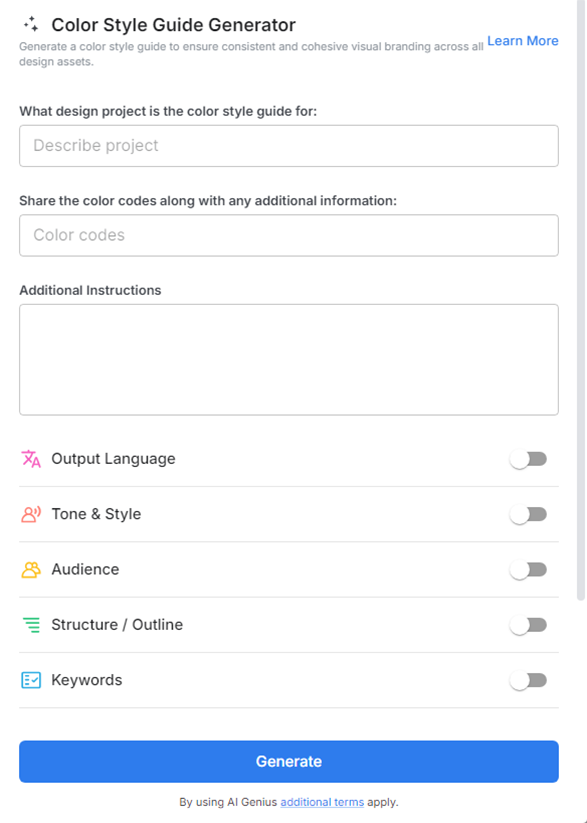
2. Type @ on a blank line to open up the AI Writing Assistant.

3. Search Instagram Post Generator from the template search field on the left sidebar.

4. Fill out the quick Instagram Post Generator entry form, and Bit.ai will generate a customized post.

5. Specify color codes (RGB, HEX, or Pantone) to ensure accuracy across all platforms and materials.

6. Click 'Insert' to finalize the color style guide, ready for sharing with your design team and collaborators.
