


AI Call Center Script
Ensuring Seamless, High-Quality Customer Service with Bit.ai
Creating an effective call center script is key to delivering consistent, empathetic, and solution-oriented customer support. A good script goes beyond simple guidelines; it helps agents respond professionally, resolve issues efficiently, and maintain a calm, positive tone. However, crafting and updating these scripts to suit varied inquiries and customer needs can be challenging.
With Bit.ai’s Call Center Script template, you can easily build comprehensive, adaptable scripts that empower your team to provide exceptional service with ease.
What is a Call Center Script?
A call center script is a structured guide that helps customer support representatives navigate calls effectively. Each script typically includes opening statements, which are standard greetings that set a positive tone for every call. It also provides step-by-step guidance, offering clear responses for handling common issues or frequently asked questions.
Why Use a Call Center Script?
- Consistency – Guarantees that each customer receives a high-quality, standardized experience.
- Efficiency – Reduces call times by providing a clear structure and helping representatives get straight to the solution.
- Enhanced Satisfaction – Improves response accuracy and reduces wait times, enhancing the overall customer experience.
- Boosted Confidence – Empowers agents with a solid foundation, making them feel prepared to tackle a range of customer concerns.
Why Use Bit.ai for Your Call Center Script?
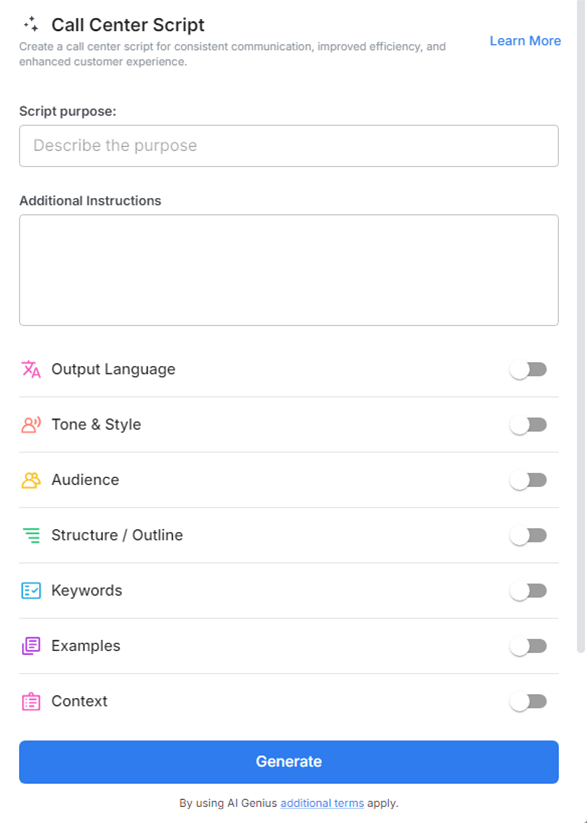
Bit.ai’s Call Center Script Tool offers an intuitive, versatile solution for creating and managing call scripts, allowing you to refine your customer service experience. Here’s how it stands out:
- Customizable Templates: Start with Bit.ai’s pre-built templates, perfect for various customer service scenarios. Customize them to fit your brand’s voice, policies, and specific needs, ensuring your scripts are fully aligned with your organization’s values and procedures.
- Real-Time Collaboration: Enable seamless teamwork with Bit.ai’s collaboration tools. Multiple users can work on script drafts simultaneously, making it easy to gather input from team leads, adjust phrasing based on agent feedback, and ensure everyone’s on the same page.
- Interactive Visuals and Resources: Enhance your scripts by embedding images, icons, and links to supporting resources. For example, you can add diagrams for troubleshooting steps or include quick access links to internal FAQs and escalation protocols.
- Segmented Script Organization: Bit.ai allows you to divide scripts into neatly organized sections with drop-down headings, enabling agents to quickly locate opening phrases, response options, escalation instructions, and closing statements without scrolling through endless text.
- User-Friendly Interface on Multiple Devices: Bit.ai’s mobile-friendly design allows agents to access scripts on their desktops, tablets, or smartphones. No matter the device, agents can quickly pull up the information they need for an efficient response.
How to Use Bit.ai’s Call Center Script
1. Open a new document in Bit.ai.

2. Type @ on a blank line to open up the AI Writing Assistant.


4. Fill out the quick Instagram Post Generator entry form, and Bit.ai will generate a customized post.

5. Personalize the script by clicking on 'Advanced Options' to adjust the tone, style, or content to better fit your call center's needs.

6. Once you're done, click 'Insert,' and the script will be added to your Bit document.
