


AI Academic Report
Effortlessly Generate Professional and Insightful Academic Reports
Creating detailed academic reports is a core aspect of educational institutions—whether you’re a student compiling your research findings or an educator tracking student progress. But let’s face it, putting together well-organized, insightful reports that are both informative and easy to read can be time-consuming and sometimes overwhelming. Bit.ai’s Academic Report is here to change that!
This powerful solution allows you to craft comprehensive, professional academic reports that are clear, concise, and impactful—all without breaking a sweat. Whether you’re summarizing research, detailing academic performance, or presenting project outcomes, Bit.ai ensures your reports are structured, visually appealing, and easy to understand. Let’s dive into how the Bit.ai Academic Report can simplify and enhance your report-writing process.
What is an Academic Report?
An academic report is a structured document that presents information or findings based on research, analysis, or evaluations. These reports can cover a variety of topics, including research projects, which provide a detailed overview of a study, including methods, results, and conclusions. Student performance reports summarize a student's academic progress, grades, and areas for improvement.
Why Use an Academic Report?
- Structured Format: Bit.ai provides predefined templates to help organize your report logically, so you never miss key sections. Whether it’s a research report or a student performance analysis, you’ll follow an organized format that ensures clarity.
- Time Efficiency: Say goodbye to starting from scratch. With Bit.ai’s customizable templates, you can quickly generate the structure of your report and focus on adding relevant details.
- Professional Look: Create reports that look polished and well-organized, making a lasting impression on your audience—whether that’s a professor, board member, or a research team.
- Engaging and Interactive: Bit.ai allows you to add visuals like graphs, charts, and images to make your academic reports more engaging and data-driven.
- Collaborative: Collaborate in real-time with other researchers, educators, or students. Whether it’s reviewing findings or contributing to a report, Bit.ai makes teamwork seamless.
Why Use Bit.ai for Your Academic Reports?
Bit.ai’s Academic Report feature makes it easier than ever to compile detailed, professional reports that communicate your findings effectively. Here's why Bit.ai should be your go-to solution:
- Customizable Templates: Bit.ai provides customizable academic report templates that are suitable for research papers, performance evaluations, and more. Tailor them to fit your specific report needs.
- Data Visualization: Bit.ai allows you to incorporate interactive charts, graphs, and tables to represent data clearly and professionally, making your reports visually compelling.
- Real-Time Collaboration: Whether you’re working on a group project or reviewing research with colleagues, Bit.ai’s collaboration features allow multiple users to edit and contribute simultaneously.
- Simple Editing & Formatting: Bit.ai handles the formatting and structure, so you can focus solely on content. No more worrying about paragraph alignment or font sizes!
- Seamless Integration: Integrate academic sources, references, and additional documents easily with Bit.ai’s integrations, making it easier to cite and link relevant materials directly within your report.
- Cloud Storage: Store your reports safely within Bit.ai’s cloud environment, ensuring easy access and organization for future use.
How to Use Bit.ai’s Academic Report
1. Open a new document in Bit.ai.

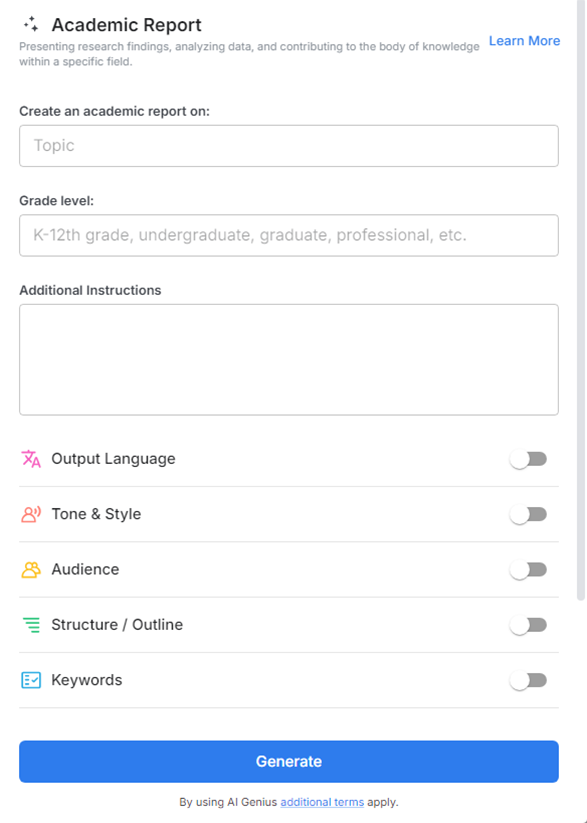
2. Type @ on a blank line to open up the AI Writing Assistant.


4. Fill out the quick Instagram Post Generator entry form, and Bit.ai will generate a customized post.

5. Personalize it by clicking on 'Advanced Options' to adjust the structure, tone, and formatting according to your specific requirements.

6. Once you're done, click 'Insert,' and the academic report will be added to your Bit document.
