


AI Academic Administrator Newsletter
Simplify Communication and Stay Connected with Your Academic Community
Running an academic institution—whether it’s a school, college, or university—requires constant communication between administrators, faculty, students, and parents. But with so many stakeholders involved, managing and distributing important updates can quickly become overwhelming. Enter Bit.ai’s Academic Administrator Newsletter! This dynamic tool helps you effortlessly create professional newsletters that keep everyone in the loop and ensures that your messages are clear, engaging, and impactful.
Whether you’re announcing upcoming events, sharing academic updates, or providing important policy changes, Bit.ai’s Academic Administrator Newsletter has you covered. Let’s dive into how this tool can transform your newsletter creation process and make communication in your institution easier than ever.
What is an Academic Administrator Newsletter?
An Academic Administrator Newsletter is a communication tool used by academic institutions to keep all stakeholders informed about important updates, announcements, and events. It typically includes information about upcoming events, such as important dates, activities, and deadlines that the community needs to be aware of.
Why Use an Academic Administrator Newsletter?
- Streamlined Communication: Bit.ai allows academic administrators to gather and share key information in one easy-to-read document, ensuring that everyone is on the same page.
- Professional Appearance: With Bit.ai’s customizable templates, your newsletters will always look polished and well-organized, enhancing the credibility of your institution’s communications.
- Engagement: Keep your community engaged by making newsletters visually appealing, with options for images, infographics, and interactive links.
- Time-Saving: Forget the tedious task of starting from scratch. Bit.ai’s tool automates the formatting and layout, saving you time and effort.
- Customization: Tailor each newsletter to your specific needs, whether it’s targeted at faculty, students, or parents, and make sure the content resonates with each audience.
Why Use Bit.ai for Your Academic Administrator Newsletters?
Bit.ai’s Academic Administrator Newsletter Tool goes beyond just creating newsletters—it’s a robust solution that helps you manage, track, and distribute your communications effortlessly. Here’s why Bit.ai should be your go-to tool for academic newsletters:
- Customizable Templates: Bit.ai offers a range of newsletter templates designed specifically for academic institutions. You can easily adjust the layout, colors, fonts, and sections to reflect your school’s branding and tone.
- Multi-Audience Support: Whether you need to send out a faculty-only update, a student newsletter, or a parent communication, Bit.ai allows you to segment your audience and tailor each message.
- Real-Time Collaboration: Collaborate with other administrators, faculty members, and student leaders in real time to refine and finalize newsletter content. Everyone can add their input, making the process faster and more efficient.
- Interactive Features: Add links, images, and videos to make your newsletter more engaging. Whether it’s linking to a sign-up form, a video announcement, or external resources, Bit.ai makes it easy to include interactive elements.
- Archiving & Tracking: Keep an archive of past newsletters in one place for future reference. Bit.ai also lets you track who has opened and engaged with your newsletters, giving you insights into their effectiveness.
How to Use Bit.ai’s Academic Administrator Newsletter
1. Open a new document in Bit.ai.

2. Type @ on a blank line to open up the AI Writing Assistant.


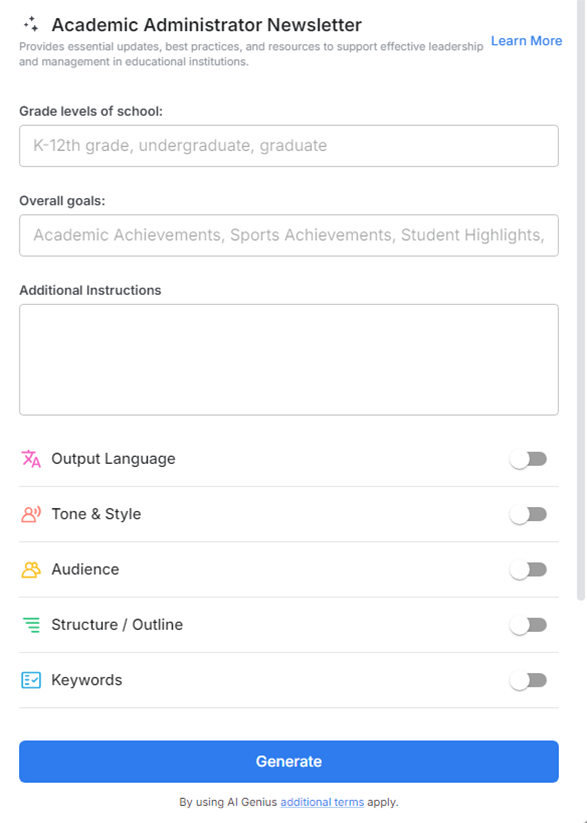
4. Fill out the quick Instagram Post Generator entry form, and Bit.ai will generate a customized post.

5. Personalize it by clicking on 'Advanced Options' to adjust the tone, format, or add any specific content like student achievements, staff updates, or upcoming deadlines.

6. Once you're done, click 'Insert,' and the newsletter will be added to your Bit document.
