


AI Lesson Plan
Create Thoughtful, Organized Lesson Plans in Minutes
Planning an effective lesson can take hours of effort—especially when you’re trying to meet learning objectives, engage students, and align with curriculum standards. That’s why having a structured lesson plan makes all the difference.
Enter Bit’s Lesson Plan Generator! This intuitive tool helps you craft detailed, professional lesson plans in just a few clicks—so you can focus more on teaching and less on formatting.
Let’s dive into this game-changing Lesson Plan Generator, why it’s essential, and how Bit.ai simplifies the planning process.
What is a Lesson Plan?
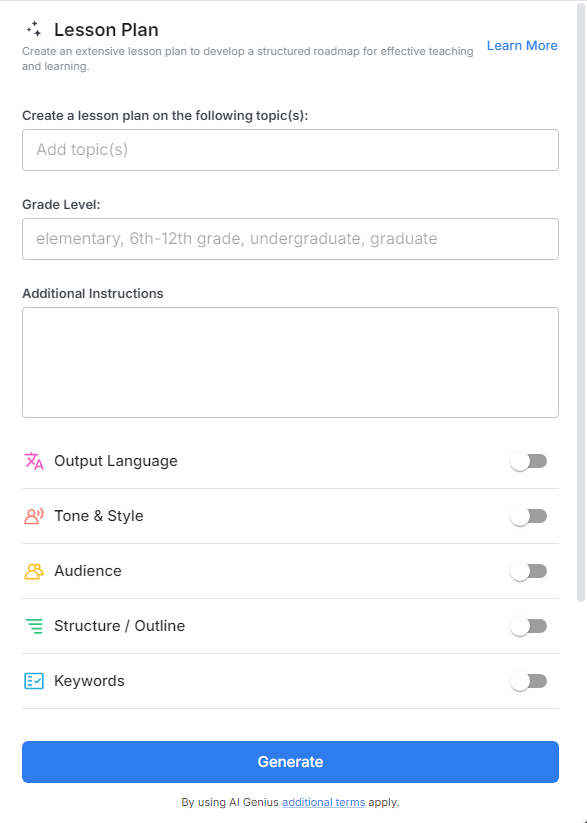
A Lesson Plan Generator is an AI-powered tool designed to help educators create customized, comprehensive lesson plans for any subject, grade level, or learning style. From objectives and materials to activities and assessments, this tool structures every part of the lesson for you.
Why Use a Lesson Plan?
- Time-Saving: Eliminate the time drain of manually writing every section of your plan.
- Curriculum-Aligned: Ensure your plans meet educational standards and learning goals.
- Engagement-Focused: Design interactive and outcome-based lessons that keep students involved.
- Consistent Format: Use a professional, easy-to-share format that’s ideal for teachers, subs, and admins.
- Customizable: Adapt lesson components for different classroom needs, learning levels, and teaching styles.
- Reflective Teaching: Include reflection prompts and evaluation checkpoints to improve future lessons.
Why Use Bit.ai to Generate Lesson Plans?
Bit.ai makes lesson planning smarter, faster, and more collaborative—no matter what subject you teach.
- Templates by Subject & Grade: Select from a library of pre-built lesson templates tailored for different subjects and age groups.
- Objective Builder: Automatically generate clear learning outcomes that are SMART and standards-aligned.
- Activity Suggestions: Get engaging activity ideas based on the topic and time allotted.
- Assessment Integration: Easily add formative or summative assessments to track student progress.
- Collaborative Workspace: Share your lesson plan with other teachers or administrators for feedback.
- Organized Storage: Keep all your lesson plans, resources, and notes in one easy-to-access location.
How to Use Bit’s Lesson Plan
1. Open a new document in Bit.ai.

2. Type @ on a blank line to open up the AI Writing Assistant.


4. Fill out the quick Instagram Post Generator entry form, and Bit.ai will generate a customized post.

5. Click ‘Advanced Options’ to customize duration, objectives, activities, and assessments.

6. Once your lesson plan is complete, click ‘Insert,’ and it will be added directly into your Bit document.
