


AI Late Payment Reminder Email
Send Polite, Professional Reminders That Get You Paid Faster
Late payments can disrupt your cash flow and strain professional relationships. But drafting reminder emails that strike the right balance between firm and friendly can take time and effort.
That’s where Bit.ai’s Late Payment Reminder Email Generator comes in! It helps you quickly craft personalized, respectful reminders that nudge clients to take action—without sounding pushy or aggressive.
Let’s explore this tool, why it’s a must-have for your business, and how Bit.ai makes the process efficient and seamless.
What is a Late Payment Reminder Email?
A Late Payment Reminder Email Generator is an AI-powered tool that creates ready-to-send messages for clients who’ve missed payment deadlines. Whether it’s a gentle nudge or a final notice, this tool helps you communicate clearly and effectively.
Why Use a Late Payment Reminder Email?
- Save Time: No need to stress over wording—generate polished, on-brand reminders instantly.
- Get Paid Faster: Clear and professional messages help accelerate the payment process.
- Tone Control: Choose between soft reminders or firm follow-ups, depending on the situation.
- Consistency: Ensure all reminders sent by your team maintain a uniform tone and format.
- Reduce Friction: Maintain positive relationships while still enforcing payment terms.
- Less Stress: Automate a task that usually feels awkward or uncomfortable.
Why Use Bit.ai to Generate Late Payment Reminders?
This easy-to-use tool helps you create customized reminders that get the job done—professionally and politely.
- Tone Options: Choose from friendly, neutral, or firm tones depending on how overdue the invoice is.
- Custom Fields: Automatically insert client name, invoice number, due date, and amount.
- Multi-Step Reminders: Generate a sequence of reminders—initial, follow-up, and final notice.
- Collaboration Ready: Share with your finance team for review, edits, or approval.
- Track Changes: Keep a record of what was sent, to whom, and when—right inside your document.
- One-Click Insertion: Add the email template directly into any Bit document or email workflow.
How to Use Bit’s Late Payment Reminder Email
1. Open a new document in Bit.ai.

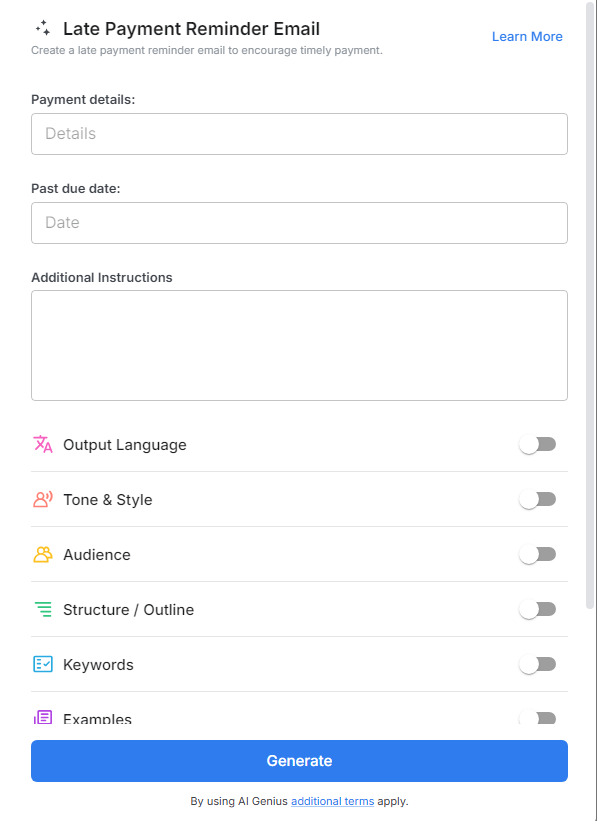
2. Type @ on a blank line to open up the AI Writing Assistant.


4. Fill out the quick Instagram Post Generator entry form, and Bit.ai will generate a customized post.

5. Click ‘Advanced Options’ to customize invoice details, payment links, or tone.

6. Once your reminder email is ready, click ‘Insert,’ and it will be added directly into your Bit document.
