


AI Impact Report
Showcase Results That Matter with a Compelling Impact Report
Whether you’re a nonprofit, startup, or enterprise, communicating the real-world impact of your work is essential. But building a report that’s both data-rich and inspiring? That’s not always easy.
Feeling overwhelmed by where to start or how to structure it all? With Bit.ai’s Impact Report Generator, you can craft visually engaging, results-driven reports that highlight your organization’s wins and progress—all without hours of formatting or fuss.
So, let’s explore this fantastic Impact Report Generator tool, why you should embrace it, and how Bit.ai makes the process a breeze!
What is an Impact Report?
An Impact Report Generator is like having a data storyteller in your back pocket—an AI-powered tool that helps you present your organization’s milestones, metrics, and mission-aligned outcomes in a clear, compelling way. From charts to narratives, it puts your success in the spotlight.
Why Use an Impact Report?
- Time Saver: Skip the formatting chaos—get a polished report ready in minutes.
- Data + Storytelling: Combine hard numbers with meaningful stories to truly showcase your organization’s progress.
- Custom Layouts: Choose from a variety of layouts to match your brand style and audience expectations.
- Stakeholder Ready: Whether for donors, investors, or internal teams, create a report that informs and impresses.
- Track Your Progress: Document year-over-year or quarter-over-quarter improvements to build a growth narrative.
Why Use Bit.ai to Generate an Impact Report?
This intelligent tool makes reporting easier, clearer, and more inspiring—so you can focus on the difference you’re making.
- Templates That Shine: Choose from purpose-built templates for nonprofits, startups, ESG reporting, and more.
- Visuals That Speak Volumes: Easily insert graphs, charts, and infographics to help your audience see the story in the data.
- Real-Time Collaboration: Invite your team to contribute and edit in real time, so your report reflects everyone’s input.
- Interactive Format: Bit.ai reports are more than PDFs—embed videos, links, and interactive visuals to create a report that lives and breathes.
- Version Control: Update your report as new data rolls in and keep track of every revision effortlessly.
- Export & Share: Download, link, or embed your finished impact report wherever your audience is.
How to Use Bit’s Impact Report
1. Open a new document in Bit.ai.

2. Type @ on a blank line to open up the AI Writing Assistant.


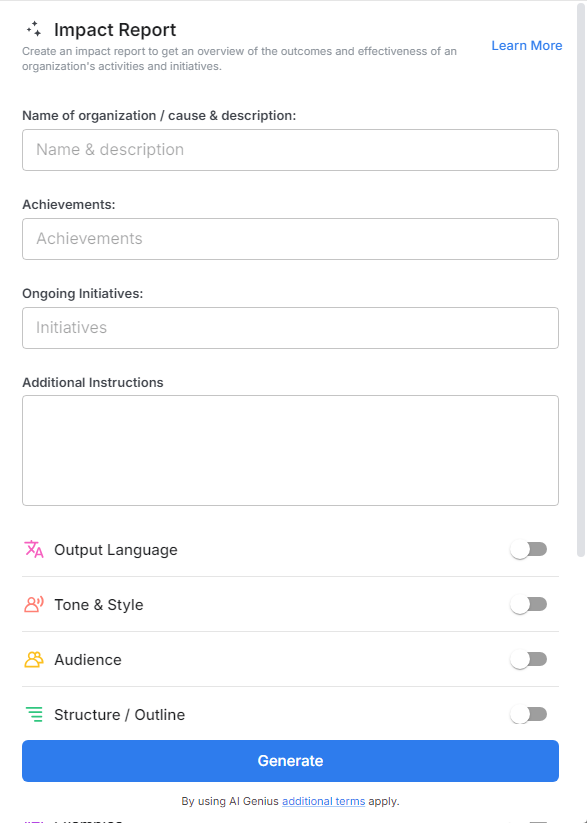
4. Fill out the quick Instagram Post Generator entry form, and Bit.ai will generate a customized post.

5. Click ‘Advanced Options’ to tailor the tone, include visuals, or align with brand colors.

6. Once you’re done, click ‘Insert,’ and the report will be added to your Bit document.
