


AI Class Newsletter Generator
Keep Students and Parents in the Loop with Engaging Updates
Class newsletters are a fantastic way to keep students, parents, and faculty members in the loop about important events, updates, and achievements. Whether you’re a teacher sharing class highlights or a student organization spreading news, a well-crafted class newsletter can make all the difference in keeping your community informed and engaged. But let’s be honest: crafting a compelling newsletter can be time-consuming. Enter Bit.ai’s Class Newsletter—your new best friend for creating professional, engaging newsletters in no time!
Bit.ai’s Class Newsletter Tool makes it easy to assemble, personalize, and share newsletters that are both informative and fun. From classroom updates to event reminders, Bit.ai ensures that your class newsletter not only gets read but also resonates with your audience. Let’s take a closer look at how Bit.ai’s Class Newsletter Tool can transform your communication game.
What is a Class Newsletter?
A class newsletter is a periodic publication that shares key updates, announcements, and highlights about class or school activities. These newsletters often include classroom updates, such as announcements about lessons, assignments, or important deadlines. Student achievements are featured, recognizing outstanding students or showcasing class projects. Upcoming events are promoted, such as field trips, school events, and extracurricular activities.
Why Use a Class Newsletter?
- Time-Saver: Bit.ai allows you to create and send newsletters quickly, without the hassle of formatting or design. With ready-made templates, you can focus on content, not the technical details.
- Visually Appealing: Choose from a variety of eye-catching templates that are designed to grab attention and engage your audience.
- Customizable: Personalize your newsletter to fit your class theme, tone, and needs. Whether you’re sharing important reminders or celebrating class achievements, you have full creative control.
- Collaborative: Working on a class newsletter with a group of students or teachers? Bit.ai makes it easy to collaborate, edit, and review in real-time.
- Mobile-Friendly: The newsletter you create looks great on any device, ensuring that parents and students can access it anytime, anywhere.
Why Use Bit.ai for Your Class Newsletter?
Bit.ai’s Class Newsletter Tool does more than just help you write a newsletter. It empowers you to create engaging, polished, and shareable newsletters that your readers will look forward to. Here’s how:
- Customizable Templates: Bit.ai provides a variety of pre-built, customizable templates, so you don’t have to worry about formatting. Choose a design that fits your class’s personality, and tweak it to match your specific needs.
- Drag-and-Drop Functionality: Adding content like images, text, and links is easy with Bit.ai’s intuitive drag-and-drop editor. No design experience required!
- Real-Time Collaboration: Whether you’re working with other teachers, students, or parents, you can all contribute to the newsletter simultaneously, making it easy to gather input and feedback.
- Engaging Visuals: Bit.ai allows you to add images, icons, and charts to your newsletter, making it visually appealing and engaging.
- Simplified Distribution: Share your newsletter via email or social media, or download it as a PDF for printing. Bit.ai also allows for easy tracking of who opens your newsletter and engages with its content.
How to Use Bit.ai’s Class Newsletter
1. Open a new document in Bit.ai.

2. Type @ on a blank line to open up the AI Writing Assistant.


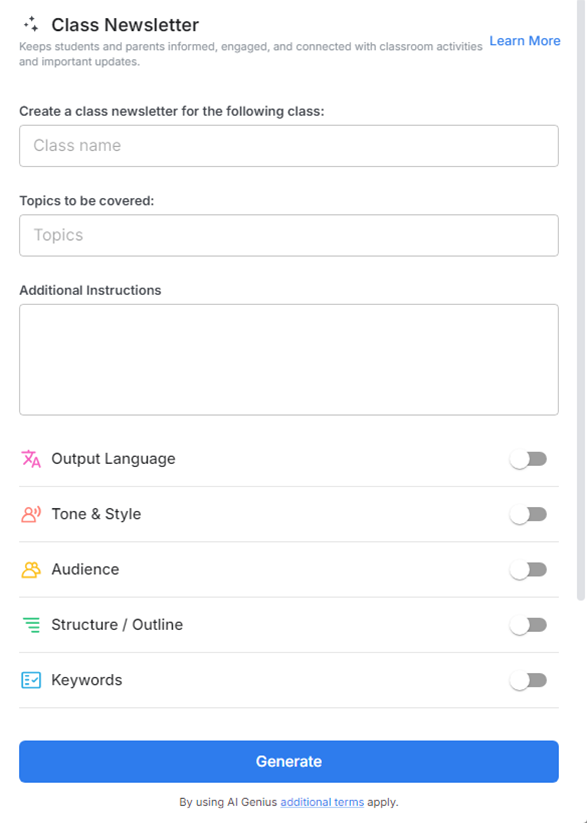
4. Fill out the quick Instagram Post Generator entry form, and Bit.ai will generate a customized post.

5. Personalize it by clicking on 'Advanced Options' to adjust the tone, format, and add any specific content like student highlights, class activities, or teacher messages.

6. Once you're done, click 'Insert,' and the class newsletter will be added to your Bit document.
