FREE TEMPLATES
Best Video Script Template
Plan and structure engaging videos with this free, customizable Video Script Template. Use it to organize key talking points, dialogue, scenes, visuals, and production notes for clear and consistent video content.


What Is a Video Script Template?
A Video Script Template is a structured document used to plan and organize the content, dialogue, and flow of a video. It provides a clear format for outlining narration, scenes, visuals, dialogue, and production directions.
A well-structured script helps creators and production teams stay aligned on the video’s content, structure, and production requirements throughout the recording and editing process.
Why Do You Need a Video Script Template?
A Video Script Template provides a structured way to plan video content and keep production organized. You can use it to:
- Structure the video from beginning to end
- Plan dialogue, narration, and voiceovers
- Organize scenes, visuals, and directions
- Maintain a consistent tone and flow
- Reduce unnecessary retakes
- Coordinate writers, presenters, and production teams
- Simplify the recording and editing process
What Should a Video Script Include?
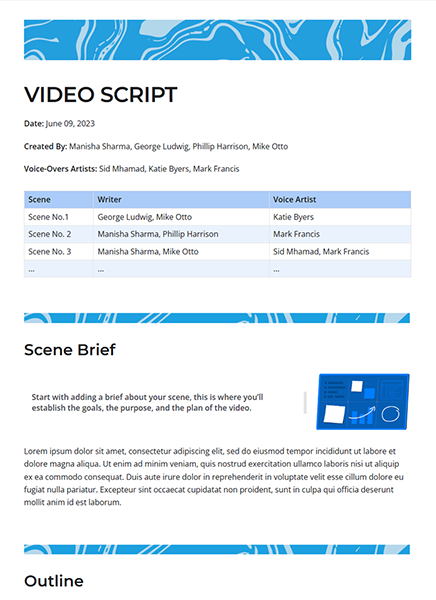
A Video Script should organize the content, structure, dialogue, visuals, and production details needed to plan and produce a video effectively.
Key sections included in this Video Script Template are:
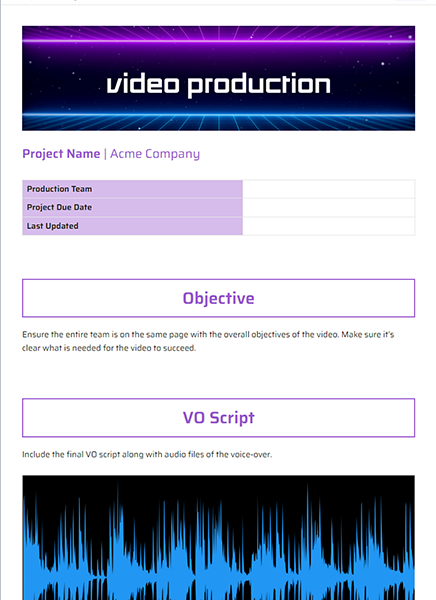
- Video Overview: Includes the video title, purpose, target audience, date, and contributors.
- Scene Outline: Provides an overview of each scene, including the sequence, key points, and participants.
- Scene Brief: Summarizes the purpose, content, and direction of each scene.
- Video Outline: Organizes the introduction, main content, key points, and conclusion.
- Scene Directions: Describes actions, visuals, settings, transitions, and other production instructions.
- Voice-Over: Includes narration or dialogue for each scene and identifies the assigned voice artist.
- Final Audio: Records the finalized voice-over, dialogue, music, or other audio elements.
- Call to Action: Defines the action viewers should take after watching the video.
How to Use This Video Script Template?
Follow these simple steps to plan, structure, and organize your video script in Bit.ai.
Step 1. Open the Video Script Template in Bit.ai.
Step 2. Add the video details, purpose, target audience, and key contributors.
Step 3. Create the outline and organize the introduction, main content, key points, and conclusion.
Step 4. Build each scene by adding scene directions, dialogue, narration, visuals, and production notes.
Step 5. Review the complete script, collaborate with your production team, and finalize it for recording and editing.
Who Can Use This Video Script Template?
- Video creators and YouTubers
- Content and marketing teams
- Social media managers
- Copywriters and scriptwriters
- Filmmakers and production teams
- Educators and trainers
- Businesses creating video content
- Freelancers and agencies
Pro Tips for Writing an Effective Video Script
Follow these practices to make your video script clear, engaging, and easy to produce:
- Define the video’s purpose and target audience clearly.
- Start with a strong opening that captures attention.
- Keep the script focused on the main message.
- Use clear and concise language throughout.
- Organize content into logical scenes and sections.
- Include clear directions for visuals and on-screen elements.
- End with a clear and relevant call to action.
Why Use Bit.ai for Your Video Script?
Bit.ai gives creators and teams a collaborative workspace to write, organize, and share video scripts. You can add tables, images, videos, links, production notes, and other supporting resources directly to the document.
Writers, editors, presenters, and other team members can collaborate on the same script and add feedback in real time. Bit.ai’s AI Writer can also help brainstorm ideas, improve dialogue, rewrite sections, and summarize scripts.
Looking for another way to create your video script? Use Bit.ai’s AI Video Script Generator to create a structured first draft with AI, then customize it to fit your video and audience.
FAQ
Q1. How do I use this Video Script Template?
Simply open the template in Bit.ai, add the video details, create the outline, organize scenes, add dialogue and visual directions, and review the completed script with your production team.
Q2. Can multiple team members collaborate on a Video Script?
Yes. Bit.ai supports real-time collaboration, allowing writers, presenters, editors, and production teams to review the script, add feedback, and make updates together.
Q3. Can I customize this Video Script Template?
Yes. You can add, remove, or edit sections to match your video format, production workflow, content requirements, and team roles.
Q4. Can Bit.ai's AI Writer help create a video script?
Yes. Bit.ai's AI Writer can help brainstorm topics, create outlines, write or rewrite dialogue, and improve sections of a script.
Q5. How can I share this Video Script Template?
You can share the script through live document links, website embeds, trackable links, guest access, or password-protected links, depending on your sharing needs.