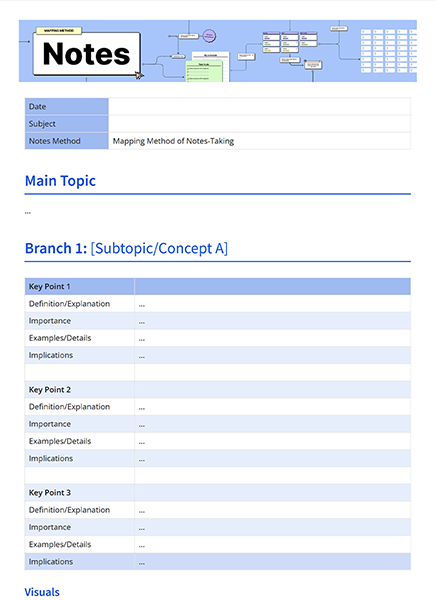
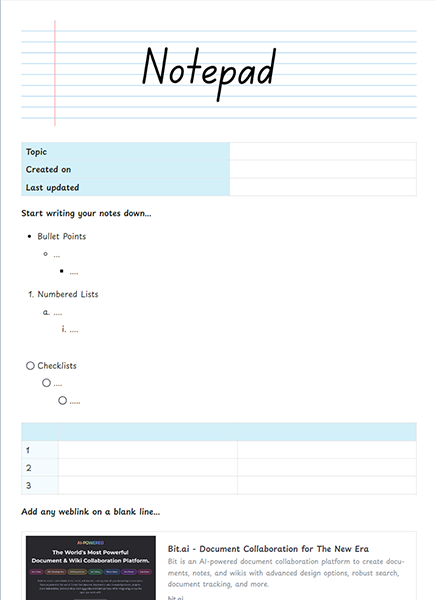
FREE TEMPLATES
Best Reading Notes Template
Organize your thoughts, key ideas, and important information from books, articles, and other reading materials with this free, customizable Reading Notes Template. Use it to capture useful insights, summarize content, record observations, and make your reading more productive.


What Is a Reading Notes Template?
A Reading Notes Template is a structured document used to record and organize important information while reading books, articles, research papers, and other materials. It provides space to capture key points, quotes, questions, summaries, observations, and insights.
Instead of relying on memory or scattered notes, a reading notes template provides a consistent format for reviewing and revisiting what you read.
Why Do You Need a Reading Notes Template?
A reading notes template provides a structured way to capture, organize, and review information from different reading materials. You can use it to:
- Capture key ideas and concepts
- Summarize important sections and arguments
- Record useful quotes and references
- Document personal reflections and insights
- Review and recall important takeaways
- Connect related ideas across different sources
What Should a Reading Notes Template Include?
A reading notes template should capture the key information, ideas, observations, and takeaways needed to review and understand reading material effectively.
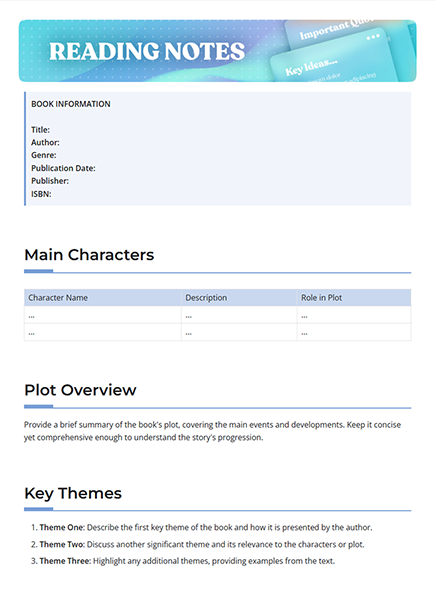
Key sections included in this Reading Notes Template are:
- Reading Information: Records the title, author, publication date, subject, and pages or chapters covered.
- Key Themes & Concepts: Captures the main themes, concepts, arguments, and ideas presented in the material.
- Important Quotes & Excerpts: Records significant quotes or passages along with their context and meaning.
- Key Points & Arguments: Summarizes important points, claims, supporting ideas, events, or conclusions from the reading.
- Personal Reflections: Provides space to record thoughts, reactions, insights, and changes in perspective.
- Real-World Connections: Links ideas from the reading to relevant experiences, situations, or broader topics.
- Questions for Further Exploration: Captures questions, unclear points, and topics that require additional research or consideration.
- Summary & Key Takeaways: Summarizes the material in your own words and highlights the most important takeaways.
How to Use This Reading Notes Template?
Follow these simple steps to create and organize your reading notes in Bit.ai.
Step 1. Open the Reading Notes Template in Bit.ai.
Step 2. Add the reading details, including the title, author, subject, and pages or chapters covered.
Step 3. Capture key themes, concepts, quotes, arguments, and important takeaways as you read.
Step 4. Add personal reflections, real-world connections, and questions for further exploration.
Step 5. Review your notes, organize related information, and collaborate with others when needed to share insights and discuss the material.
Who Can Use This Reading Notes Template?
- Students and researchers
- Teachers and educators
- Book readers
- Writers and content creators
- Professionals and learners
- Anyone who wants to organize reading notes
Pro Tips for Effective Reading Notes
Follow these practices to make your reading notes more organized, useful, and easier to review:
- Write notes in your own words.
- Focus on important ideas instead of copying everything.
- Keep quotes and references clearly marked.
- Use headings to organize longer notes.
- Review your notes after finishing a book or article.
- Add new insights when you revisit the material.
Why Use Bit.ai for Your Reading Notes?
Bit.ai provides a collaborative workspace to create, organize, and share reading notes in one place. Customize the template, add rich media and web content, and keep related research materials alongside your notes.
You can collaborate on shared notes, organize documents by topic or project, and use Bit.ai’s AI Writer to summarize content, refine notes, and organize information.
FAQ
Q1. How do I use this Reading Notes Template in Bit.ai?
Simply open the template in Bit.ai, add reading details, capture key ideas, record quotes and insights, and organize your notes for easy review and reference.
Q2. Can I personalize my Reading Notes in Bit.ai?
Yes. You can customize the template by adding, removing, or editing sections to match your reading style, subject, research needs, and note-taking preferences.
Q3. Can multiple people collaborate on Reading Notes in Bit.ai?
Yes. Bit.ai supports real-time collaboration, allowing readers to add notes, share insights, review content, and contribute to the same document.
Q4. Can we add supporting resources to these Reading Notes?
Yes. Bit.ai supports rich media and content embeds, allowing you to add documents, spreadsheets, videos, links, images, and other resources related to your reading.
Q5. What sharing options are available for Reading Notes?
Bit.ai offers multiple sharing options, including live document links, website embeds, trackable links, guest access, and password protection, making it easy to share reading notes securely.