FREE TEMPLATES
Best Editorial Workflow Template
Manage content from planning to publication with this free, customizable Editorial Workflow Template. Use it to organize content ideas, assign responsibilities, track reviews, manage revisions, and keep every piece moving smoothly toward publication.


What Is an Editorial Workflow Template?
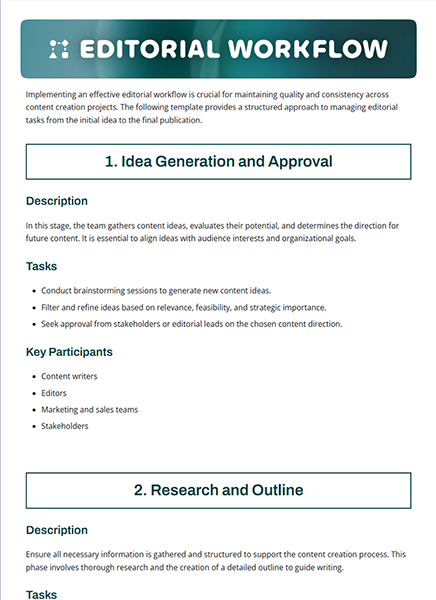
An Editorial Workflow Template is a structured document that helps teams plan, manage, and streamline the content creation and publishing process. It outlines each stage of the editorial workflow, from content planning and drafting to editing, review, approval, and publication.
By organizing the entire editorial process in one place, the template gives content teams a clear view of what needs to be done, who is responsible for each task, and where every piece of content stands. This makes it easier to maintain consistency, meet publishing deadlines, and keep content moving smoothly from idea to publication.
Why Do You Need an Editorial Workflow Template?
A clear editorial workflow helps teams:
- Organize content production stages
- Assign tasks and responsibilities
- Set deadlines and publishing schedules
- Keep writers, editors, and reviewers aligned
- Track content from idea to publication
- Manage reviews and revisions
- Reduce missed deadlines and bottlenecks
- Maintain consistency across content
What Should an Editorial Workflow Template Include?
An Editorial Workflow Template should cover the key stages, responsibilities, review steps, and deadlines involved in moving content from an initial idea to publication and beyond.
Key sections included in this Editorial Workflow Template are:
- Workflow Overview: Defines the major stages of the editorial process, from planning and content creation to editing, approval, publishing, and post-publication analysis.
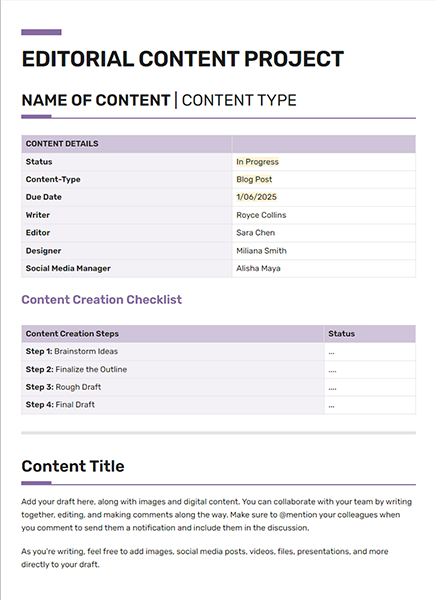
- Roles and Responsibilities: Clarifies who is responsible for planning, writing, editing, reviewing, publishing, and coordinating each stage of the workflow.
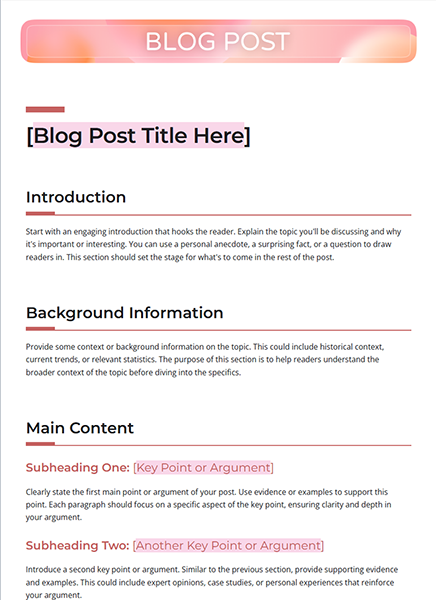
- Content Review Checklist: Covers grammar, style, tone, accuracy, structure, and visuals and supporting elements to help maintain consistent content quality.
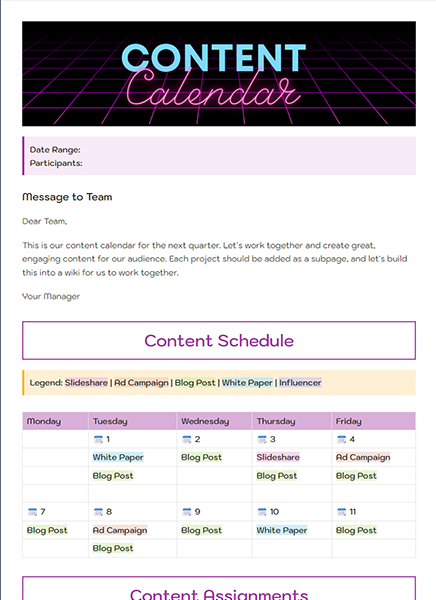
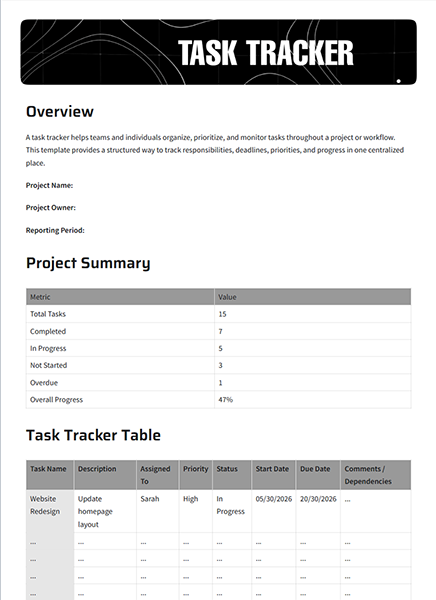
- Timeline and Milestones: Tracks important deadlines and milestones, including planning completion, draft submission, reviews, final edits, and publication.
- Feedback and Improvement: Captures reviewer feedback, audience engagement, and post-publication performance insights to improve future content.
How to Use This Editorial Workflow Template?
Follow these simple steps to plan, manage, and track your editorial workflow in Bit.ai.
Step 1. Open the Editorial Workflow Template in Bit.ai.
Step 2. Add the content details, editorial stages, team members, and deadlines.
Step 3. Assign writers, editors, reviewers, and other responsibilities.
Step 4. Update content status, feedback, revisions, and approval details as work progresses.
Step 5. Review the workflow regularly, address delays or bottlenecks, and finalize content for publication.
Who Can Use This Editorial Workflow Template?
- Content teams
- Editorial teams
- Content managers
- Managing editors
- Writers and editors
- Marketing teams
- Publishing teams
- Agencies
Pro Tips for an Effective Editorial Workflow
Follow these practices to make your editorial workflow clear, organized, and easy to manage:
- Define each stage of the editorial process clearly.
- Assign one responsible person to each task.
- Set realistic deadlines for writing, editing, and review.
- Keep feedback and revision notes in one place.
- Use consistent status labels across content.
- Set clear approval requirements before publication.
- Review the workflow regularly to identify delays and bottlenecks.
Why Use Bit.ai for Your Editorial Workflow?
Bit.ai helps editorial and content teams create, organize, and collaborate on editorial workflows in a shared workspace. Keep content plans, briefs, drafts, feedback, editorial guidelines, and publishing details organized while working together in real time.
With AI-powered writing, rich media embeds, and flexible sharing options, Bit.ai makes editorial workflows easier to plan, review, update, and share with writers, editors, and stakeholders.
FAQ
Q1. What is an editorial workflow?
An editorial workflow is a structured content production process that guides content from planning and creation through editing, review, approval, and final publication.
Q2. How can an editorial workflow improve content production?
A well-defined editorial workflow helps content teams organize the content creation process, clarify responsibilities, track progress, manage reviews and approvals, and keep publishing tasks on schedule.
Q3. How do I use this Editorial Workflow Template?
Open the template in Bit.ai, add your content stages and responsibilities, assign tasks, set deadlines, and update progress as each piece moves through the workflow.
Q4. Can multiple team members collaborate on an Editorial Workflow?
Yes. Bit.ai supports real-time collaboration, allowing writers, editors, reviewers, and other team members to work together in the same document.
Q5. Can I add supporting documents to the template?
Yes. You can add documents, links, images, videos, and other resources to support the content creation and review process.
Q6. How can I share this Editorial Workflow Template?
You can share the workflow through live links, trackable links, website embeds, guest access, or password-protected sharing.