AI Scope of Work Generator
Define Your Project’s Boundaries with Clarity
A clear Scope of Work (SOW) helps everyone involved in a project understand what needs to be done, what will be delivered, and where the project boundaries lie. It can help align teams and clients around objectives, timelines, responsibilities, and expectations.
Creating a detailed SOW from scratch can take considerable time, especially when you need to account for multiple deliverables, milestones, and project requirements. Bit.ai’s AI Scope of Work Generator helps you create a structured starting point based on the project information you provide.
Whether you're working on a marketing campaign, software project, consulting engagement, or creative project, you can generate a professional scope of work and customize it to fit your specific requirements.
What Is an AI Scope of Work Generator?
An AI Scope of Work Generator is a tool that helps you create a structured document outlining the details and boundaries of a project. By providing information such as project objectives, deliverables, timelines, responsibilities, and exclusions, you can generate a starting point for your SOW.
Types of Scope of Work Documents You Can Create
- Marketing Scope of Work: Define campaign objectives, marketing deliverables, timelines, and responsibilities.
- Software Development SOW: Outline development requirements, features, milestones, deliverables, and project boundaries.
- Consulting Scope of Work: Document consulting objectives, services, deliverables, timelines, and client responsibilities.
- Design Scope of Work: Define creative requirements, design deliverables, revisions, deadlines, and approvals.
- Content Scope of Work: Outline content requirements, formats, quantities, deadlines, and review processes.
- Construction Scope of Work: Document project activities, materials, milestones, responsibilities, and completion requirements.
Key Elements of a Scope of Work
- Project Overview: Briefly explain the project and the context behind it.
- Project Objectives: State the goals the project is expected to achieve.
- Scope of Work: Clearly describe the activities and services included.
- Deliverables: Specify the tangible outputs that will be provided.
- Timeline: Establish the expected project schedule and deadlines.
- Milestones: Identify important stages or checkpoints throughout the project.
- Roles and Responsibilities: Clarify who is responsible for specific tasks and deliverables.
- Exclusions: Document work or services that are outside the agreed scope.
- Assumptions and Constraints: Note important assumptions, dependencies, limitations, or restrictions.
- Acceptance Criteria: Define the conditions used to determine whether deliverables meet expectations.
Why Use Bit.ai for Your Scope of Work?
Bit.ai gives you a collaborative workspace to create, customize, and manage scope of work documents.
- AI-Powered Writing: Generate a structured SOW based on the project details you provide.
- Built-In Templates: Start with a ready-made scope of work structure instead of building one from scratch.
- Easy Customization: Adjust the document to match your project, client, industry, and requirements.
- Rich Content: Add images, videos, links, files, and other supporting information to your SOW.
- Real-Time Collaboration: Work with team members and stakeholders while reviewing and refining the document.
- Centralized Documentation: Keep project scope information organized and accessible in one workspace.
- Easy Sharing: Share the completed SOW with clients, teams, and other project stakeholders.
How to Create a Scope of Work with Bit.ai
1. Open a new document in Bit.ai.

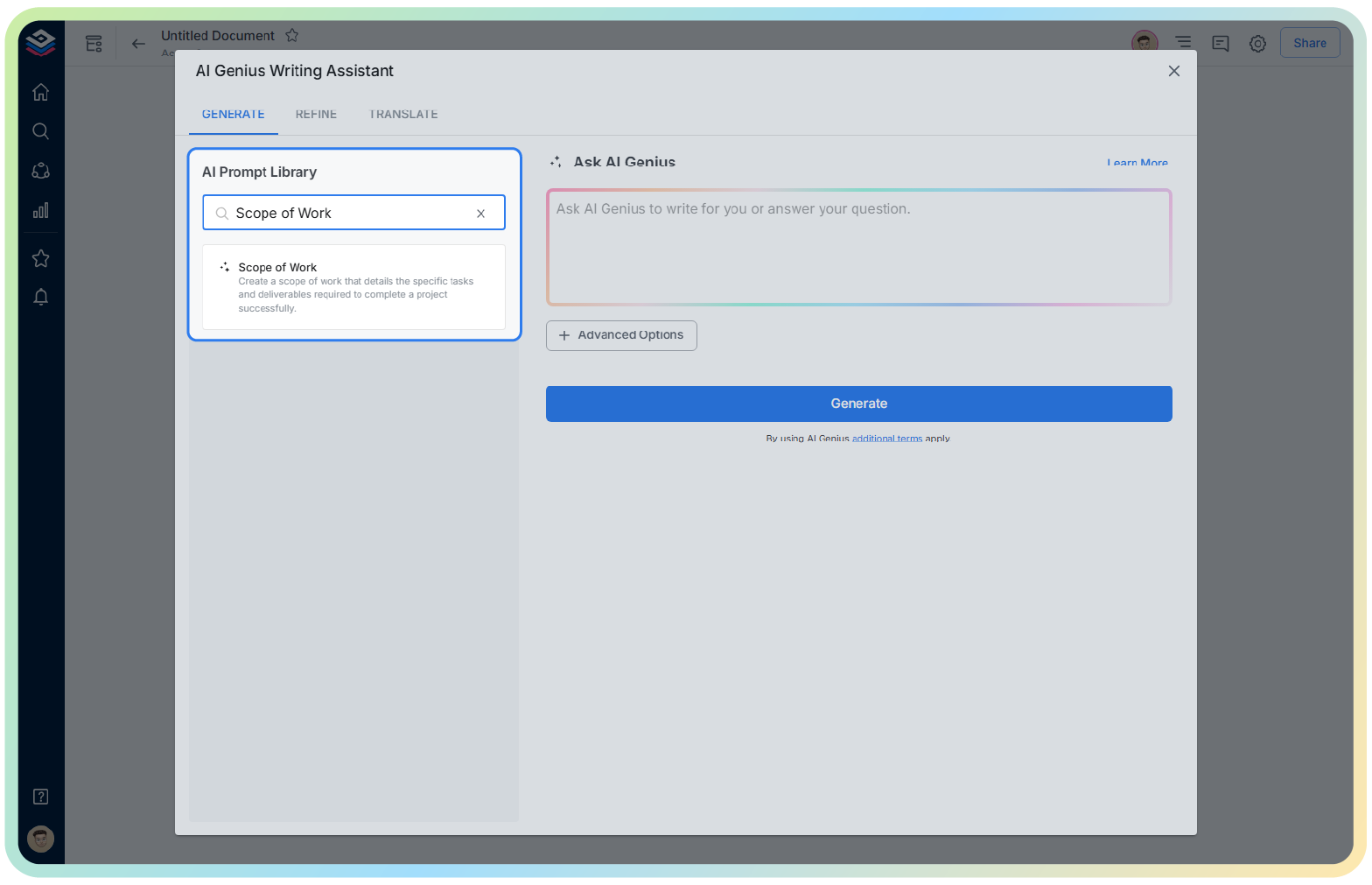
2. Type @ on a blank line to open the AI Writing Assistant.

3. Search for “Scope of Work” in the template search field.
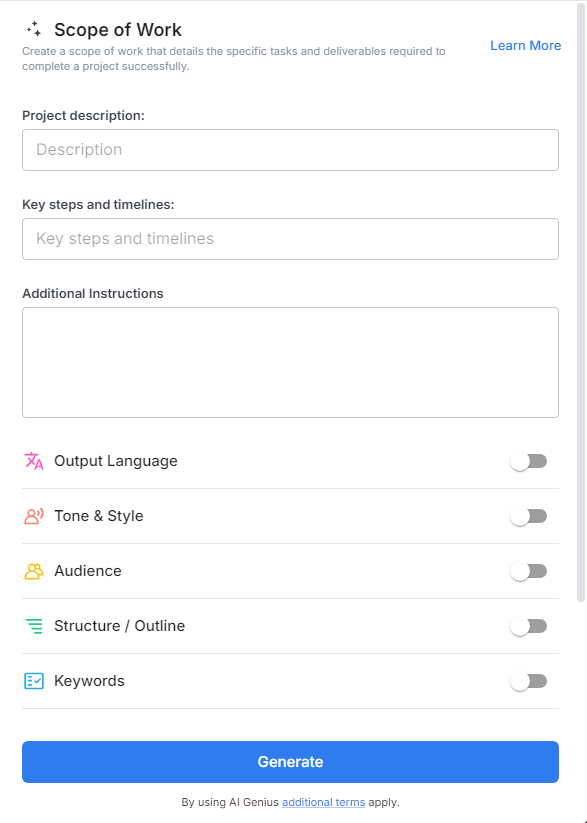
4. Enter project details such as objectives, deliverables, timelines, responsibilities, and exclusions.
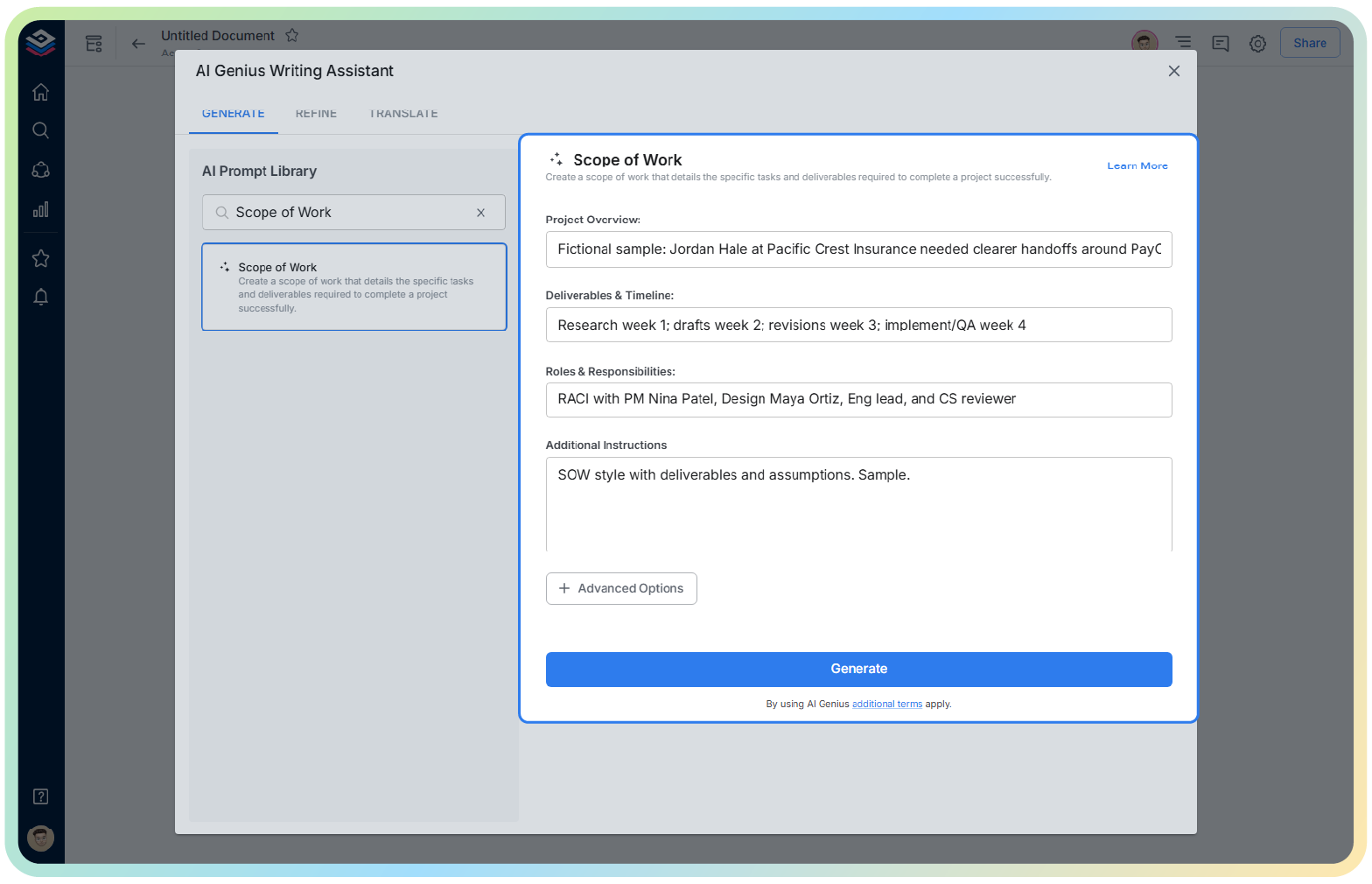
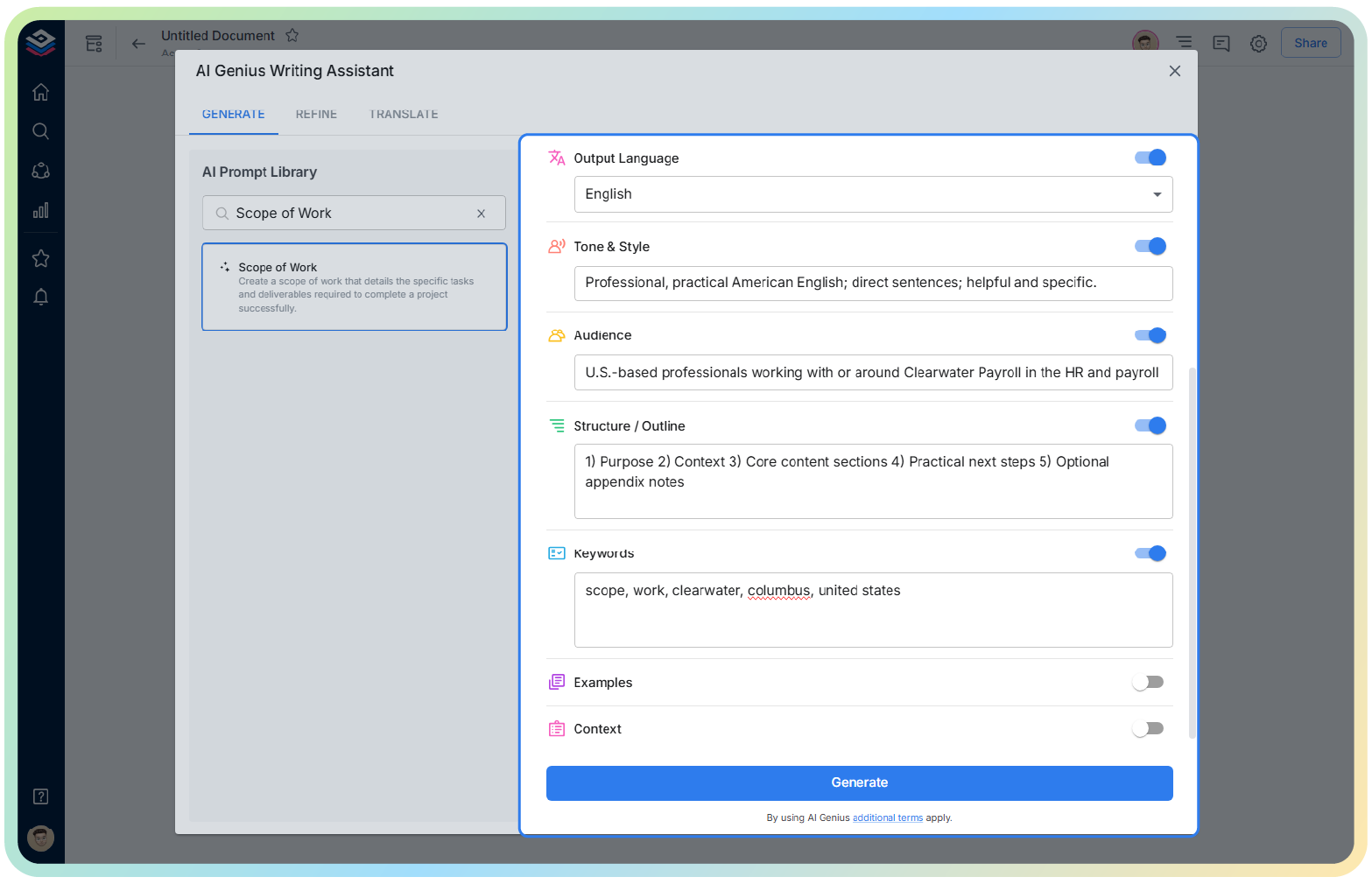
5. Use "Advanced Options" to further customize the tone, format, and content.
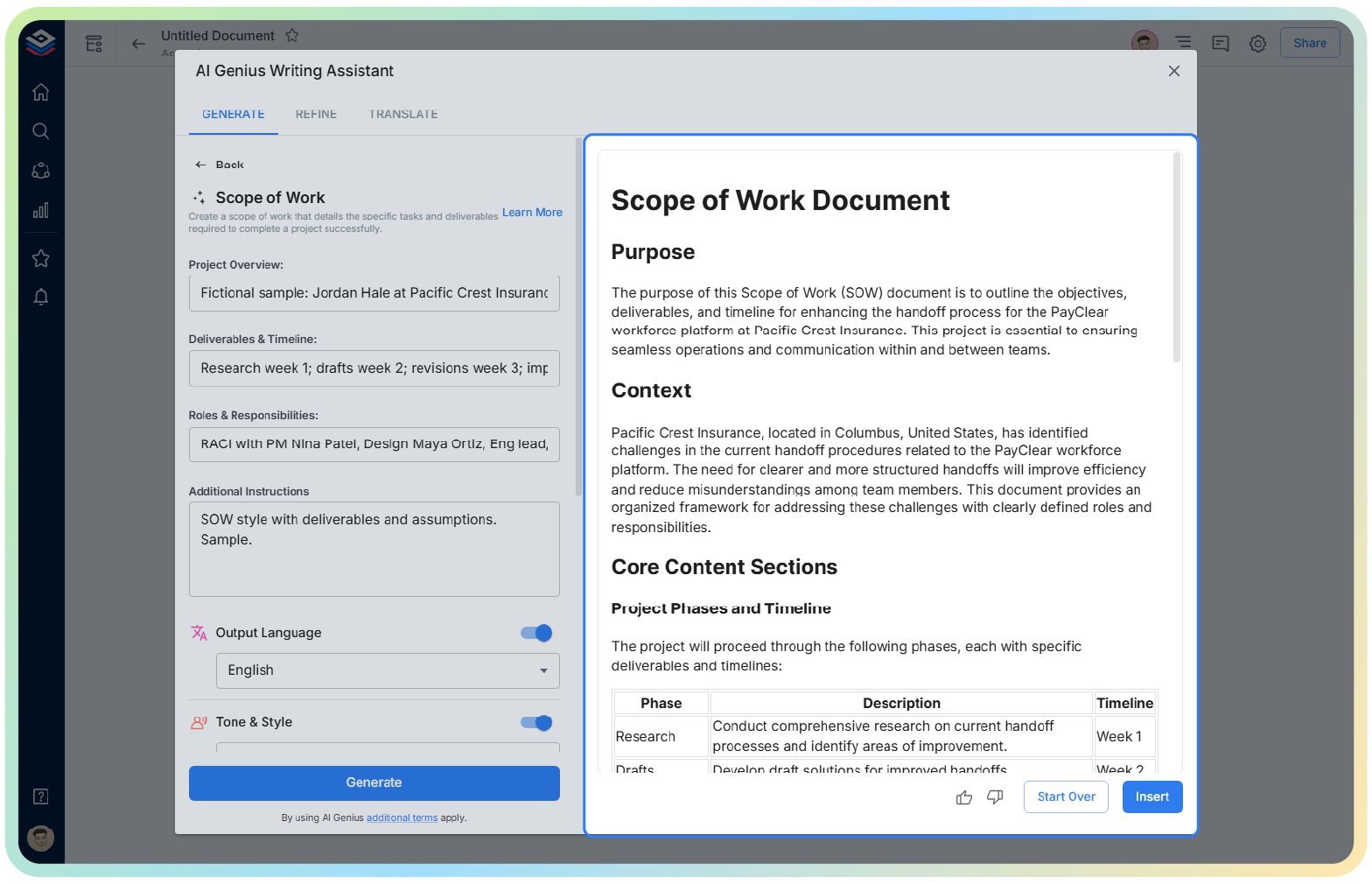
6. Click "Insert" to add the scope of work to your Bit document.
Use Cases
- Project Managers: Define project objectives, deliverables, timelines, milestones, and responsibilities to keep teams aligned.
- Consultants: Create professional SOWs that clearly outline services, deliverables, timelines, and client responsibilities.
- Freelancers: Set clear project boundaries, deliverables, deadlines, and revision expectations with clients.
- Marketing Teams: Document campaign requirements, deliverables, timelines, and roles for marketing projects.
- Product Teams: Define product development requirements, milestones, deliverables, and project boundaries.
- Agencies: Create standardized SOWs for client projects and clearly communicate what is included in each engagement.
Tips for Creating an Effective Scope of Work
- Define the project objectives before outlining individual deliverables.
- Be specific about what work is included and excluded.
- Use measurable deliverables and clearly defined acceptance criteria.
- Assign responsibilities to the appropriate team members or stakeholders.
- Include realistic timelines and important project milestones.
- Document assumptions, dependencies, and constraints that could affect the project.
- Review the SOW with relevant stakeholders before the project begins.
- Update the document when agreed project requirements or boundaries change.
Wrapping Up
A well-defined Scope of Work gives teams and stakeholders a shared understanding of what a project involves, what needs to be delivered, and where its boundaries lie. Bit.ai’s AI Scope of Work Generator helps you create a structured starting point with project objectives, deliverables, timelines, milestones, responsibilities, and exclusions.
You can customize the generated document for your specific project, collaborate with stakeholders, and keep the scope organized in one central workspace throughout the project.
Already have the details? You can also create your scope of work with a ready-made template. The Scope of Work Template gives you a structured starting point to organize and customize your project deliverables, responsibilities, timelines, and requirements.
Scope of Work FAQs
1. What should a Scope of Work document include?
A Scope of Work typically includes the project overview, objectives, scope, deliverables, timelines, milestones, responsibilities, exclusions, assumptions, and acceptance criteria.
2. Can AI create a Scope of Work document?
Yes. Bit.ai’s AI Scope of Work Generator can create a structured SOW based on the project information you provide.
3. Can I customize the generated Scope of Work?
Yes. You can edit the generated content and customize the scope to match your project requirements, industry, client, and team.
4. How does a Scope of Work help prevent scope creep?
A clearly defined SOW documents the agreed work, deliverables, exclusions, and project boundaries, giving teams and stakeholders a shared reference when discussing additional requests.
5. Can I collaborate with clients on a Scope of Work?
Yes. Bit.ai allows you to collaborate on documents and share them with relevant stakeholders for review and feedback.
6. Can I add files and other content to my Scope of Work?
Yes. You can add rich content such as images, links, videos, files, and other supporting information to your Bit document.
7. Can I update a Scope of Work after creating it?
Yes. You can edit and update your SOW as project requirements evolve or agreed changes need to be documented.